


Kinesis Freestyle2 Keyboard
Price range: $86.90 through $757.90
Found a lower advertised price? Let us know and we’ll do our best to give you a better price.

Choose your requirements using the field selectors below. Where “Choose an option” shows, please make your selection from the available options.
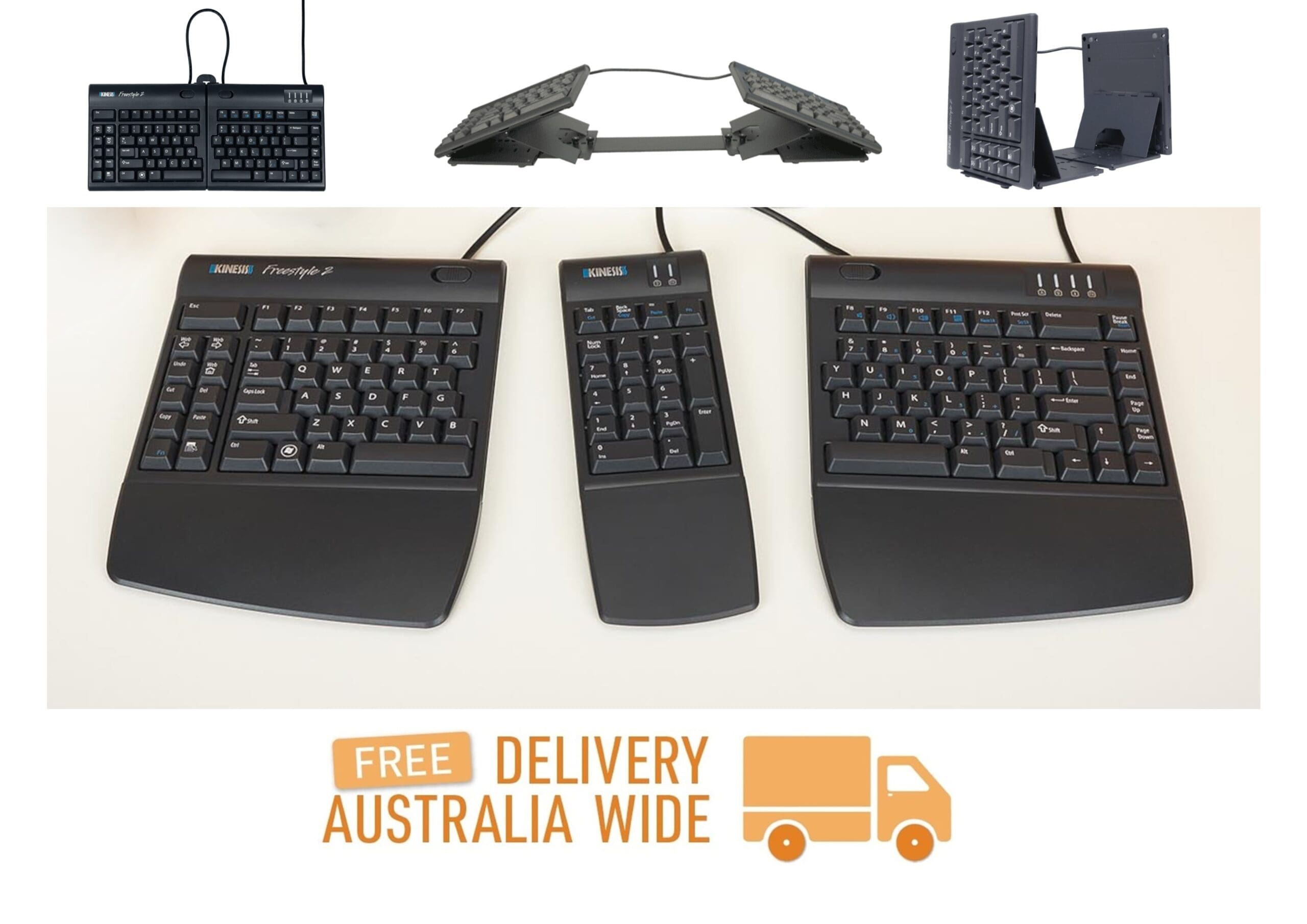
Award-Winning Split Keyboard available for PC (Wired 20cm or 50cm variable splay, or Bluetooth 20cm variable splay) and Mac (Wired 20cm variable splay). Options include a separate numeric keypad, palm supports, and tenting to accommodate lifting the the left or right keyboard module by 5, 10, 15 degrees (V3 without Palm Supports, VIP3 with Palm Supports), and 20 - 90 degress in 10 degree increments (Ascent Multi-Tent). Angling the keyboard accommodates wrist injuries such as TFF tears, and when the wrist has limited pronation.
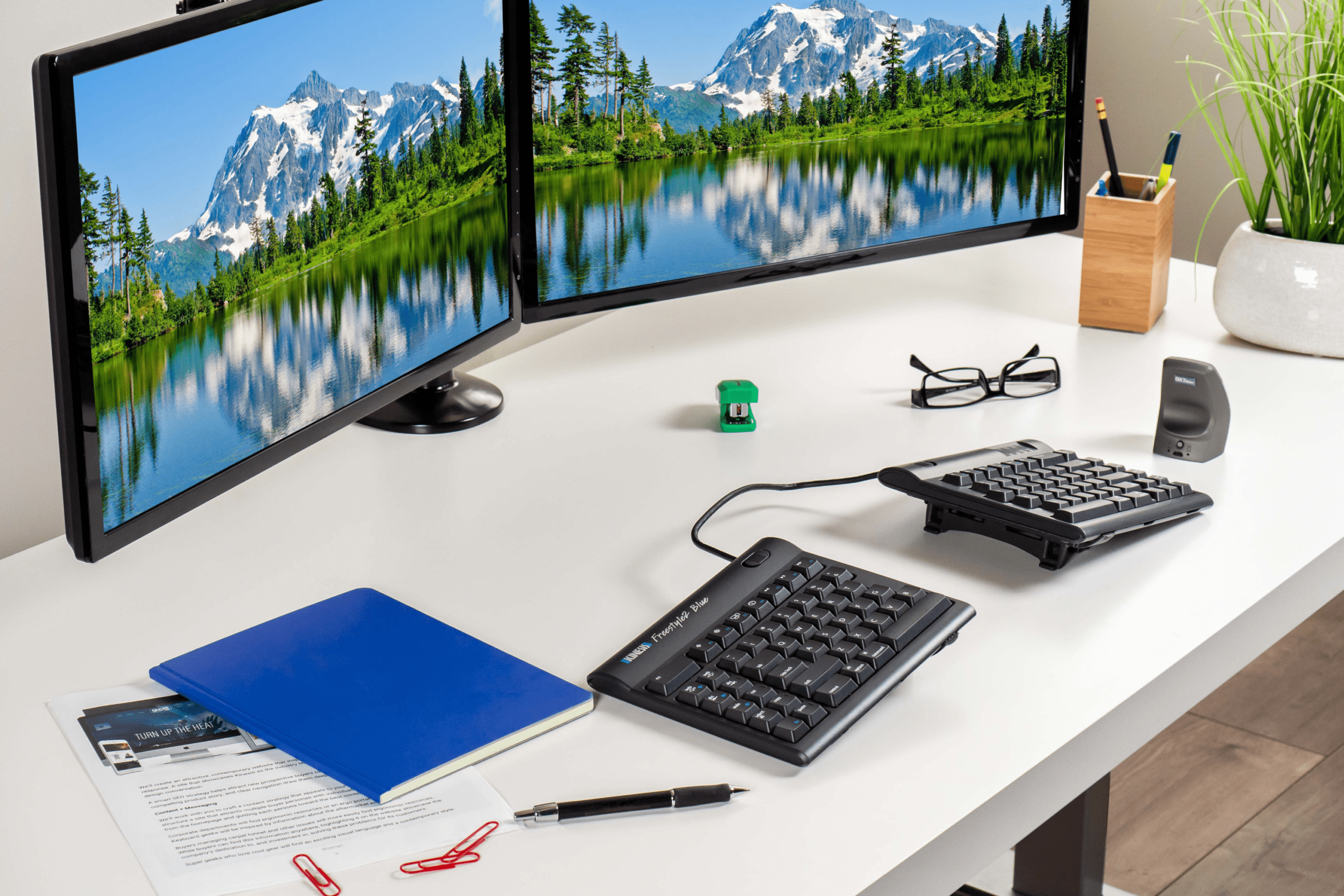
Kinesis Freestyle2 for PC - 20cm or 50cm Separation, Kinesis Freestyle2 for Mac - 20cm Separation, and Kinesis Freestyle2 Blue for PC - 20cm Separation
Award-Winning Split Keyboard
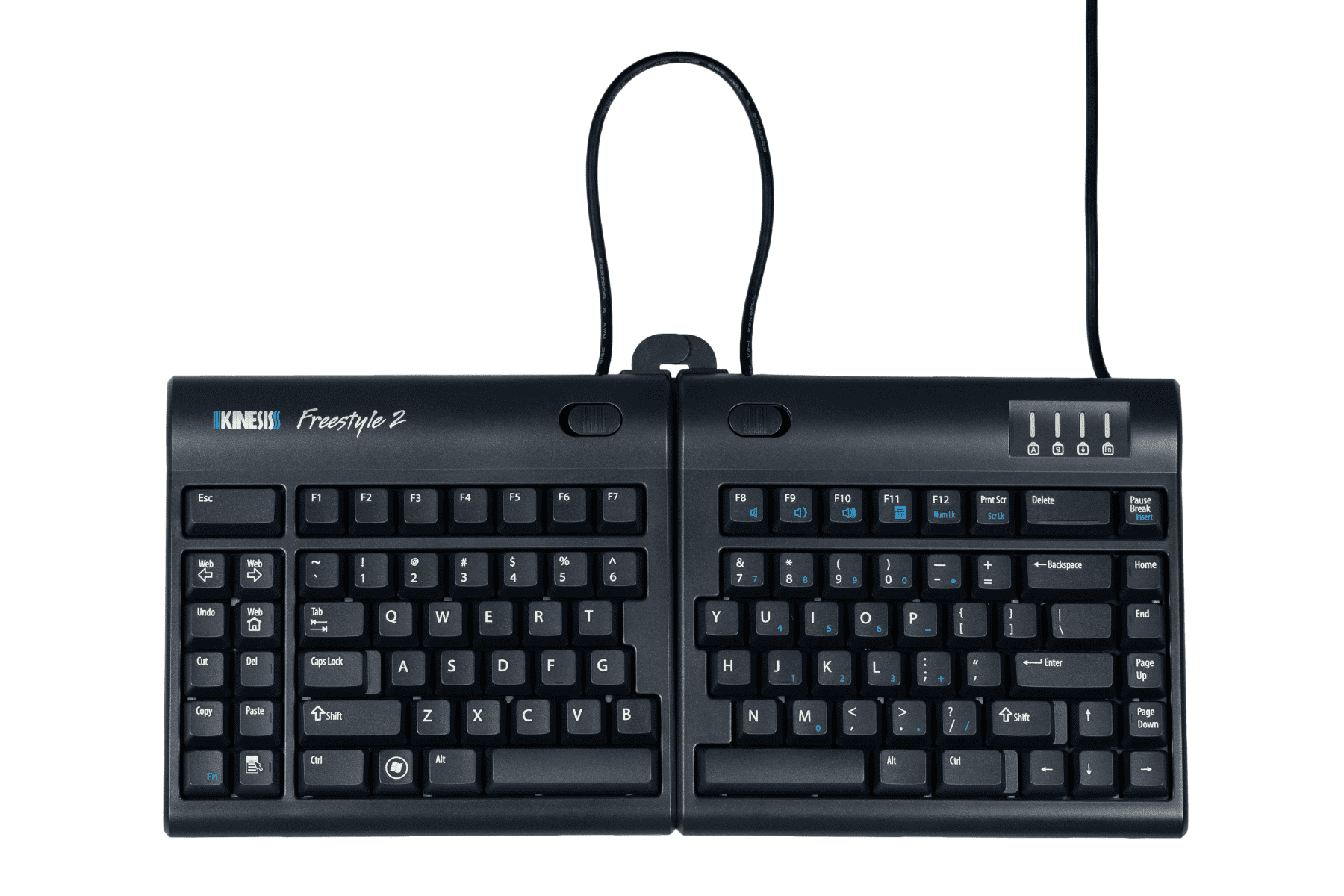
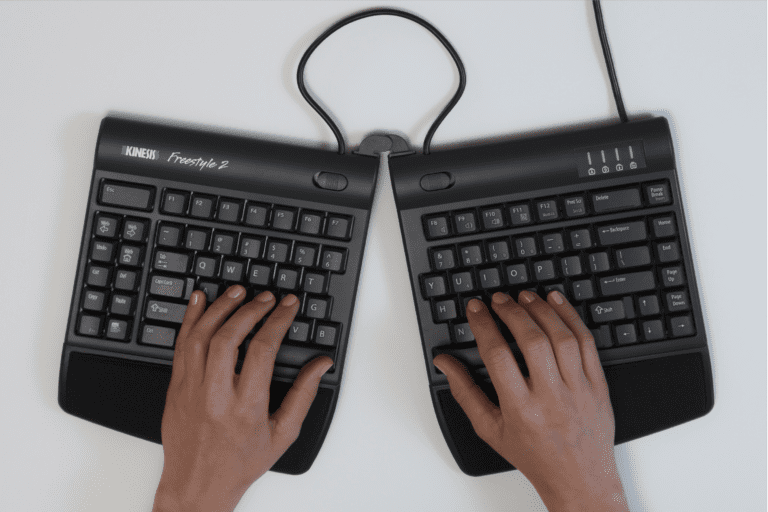
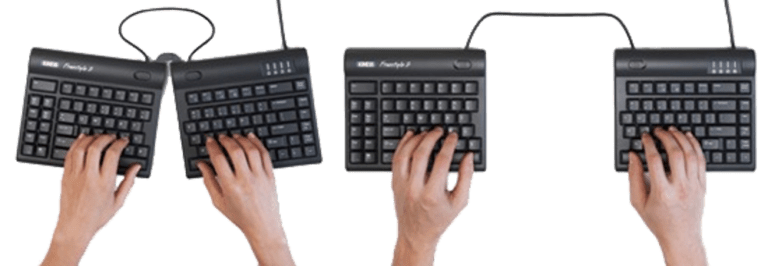
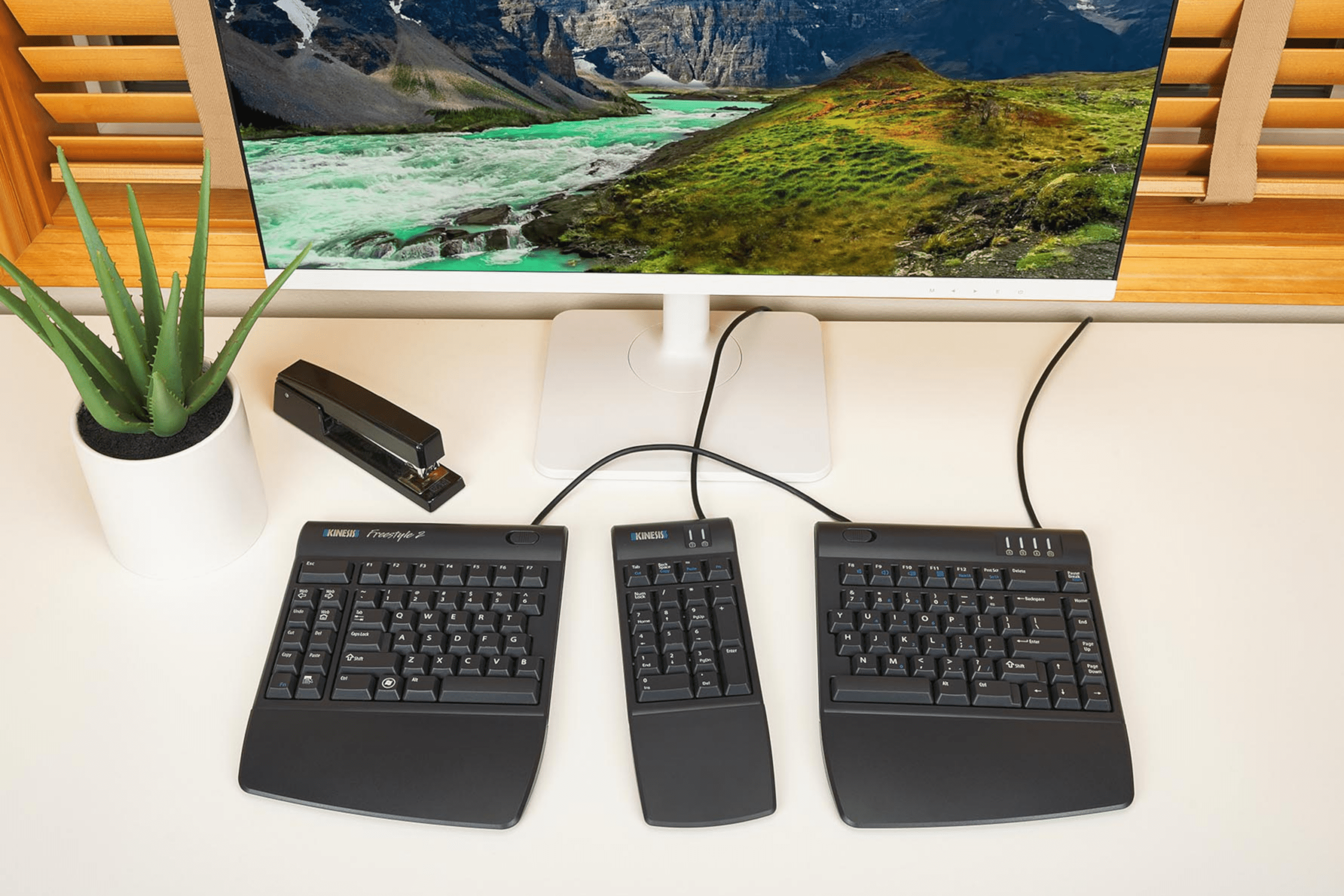
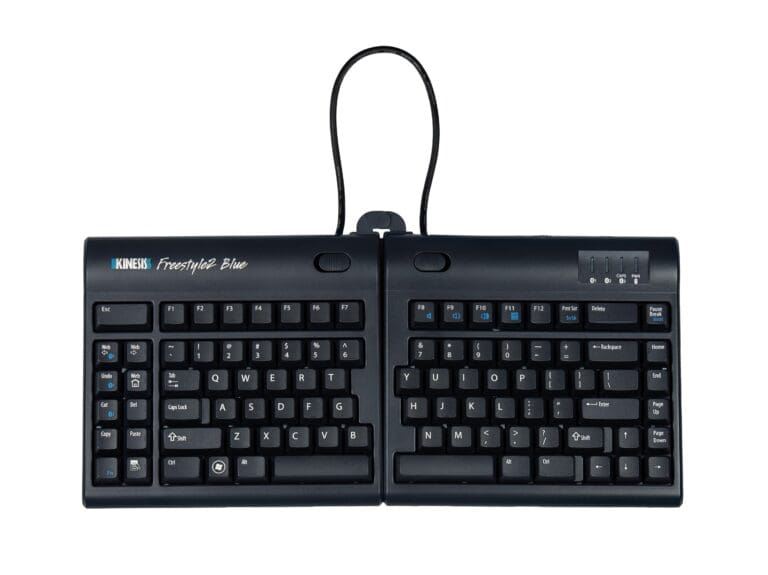
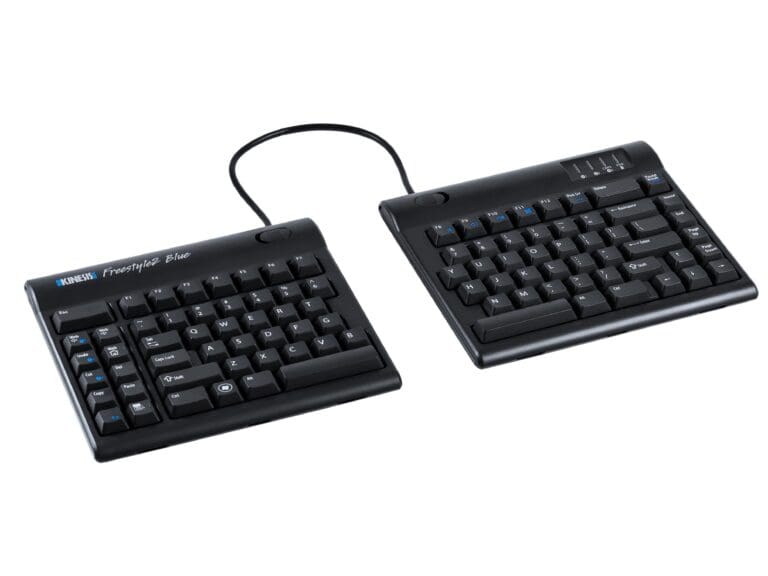
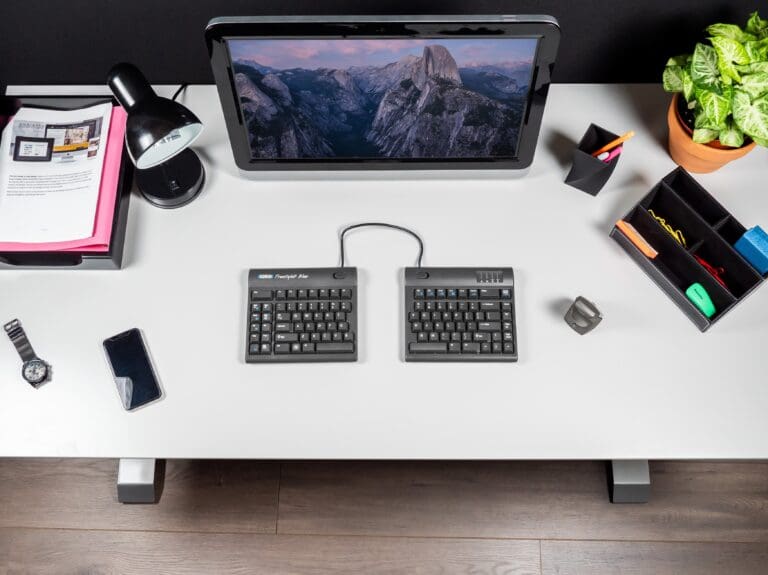
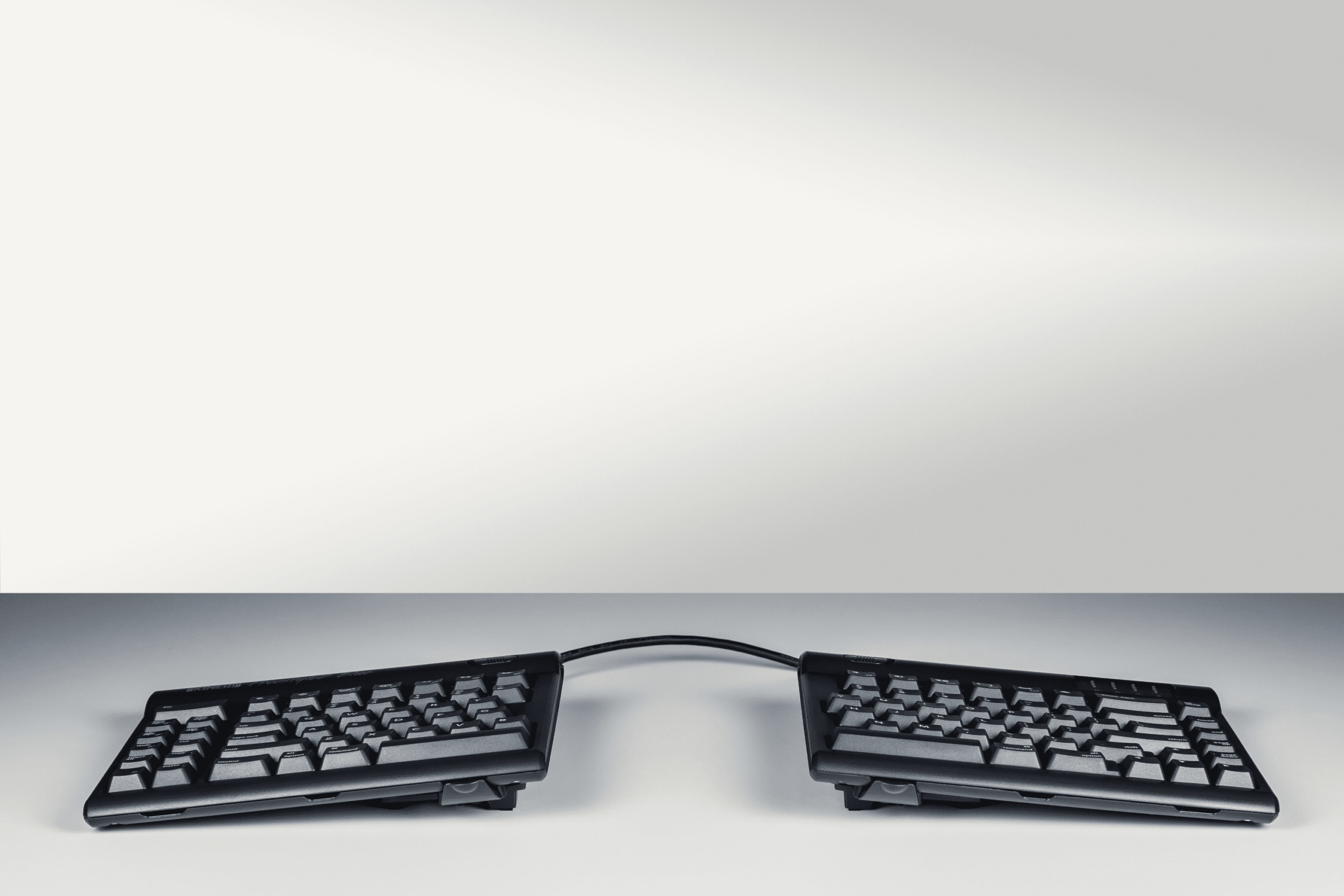
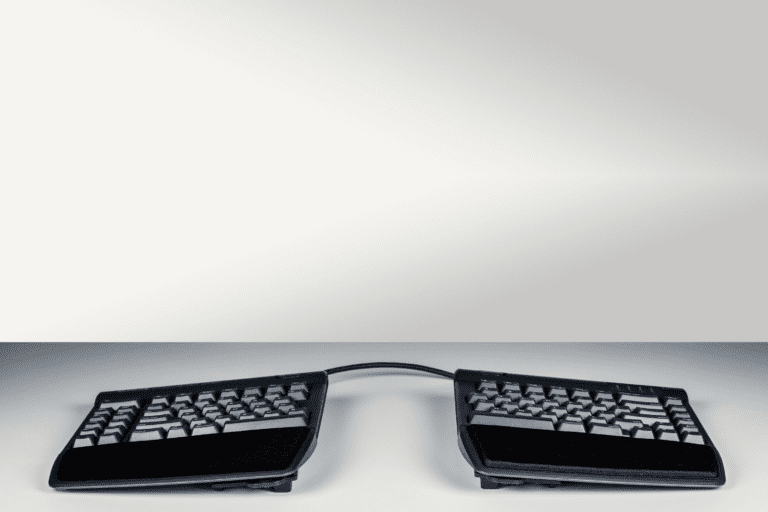
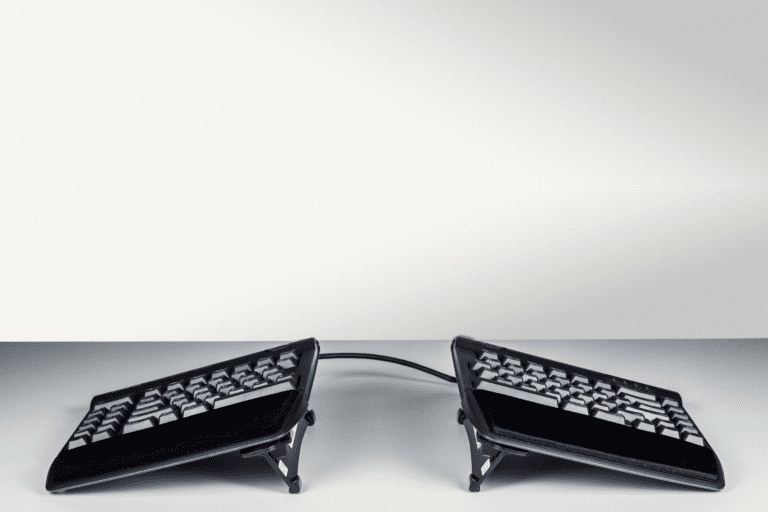
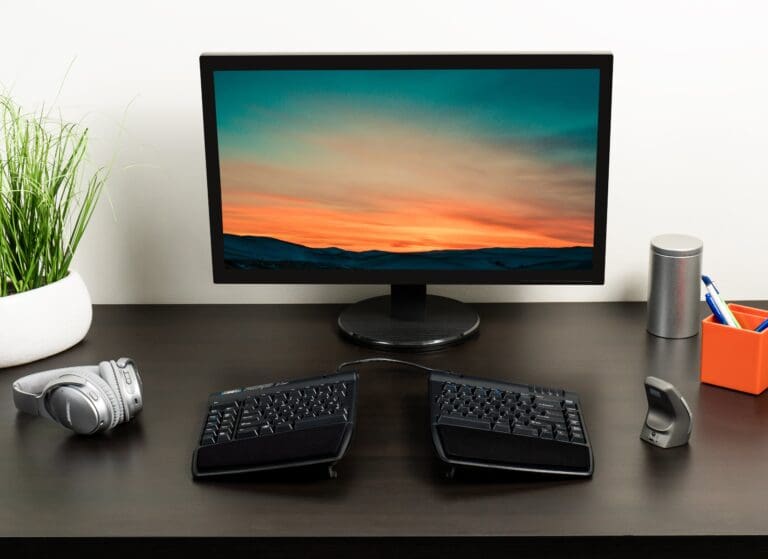
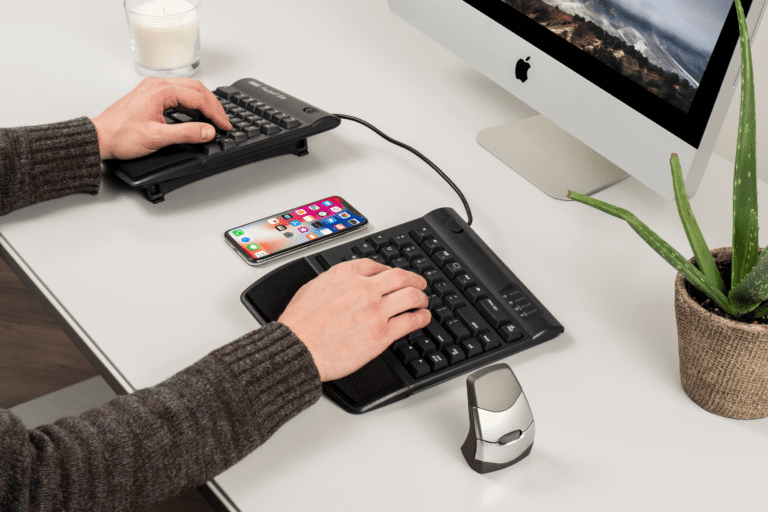
The Kinesis Freestyle2 is one of the most versatile keyboards available. The low profile keyboard is divided into two separate modules connected by a cable. The modular design allows the user to configure the keyboard in its optimal orientation, either by splaying the modules at any angle or by adjusting the distance between the modules.
The Kinesis Freestyle2 is The National Ergonomics Conference and Exposition (The Productivity Show) Attendee's Choice Winner 2011.
The Freestyle2 is an award-wining split keyboard designed to address the ergonomic risk factors related to typing by adjusting to your body. It features a familiar Windows layout and convenient hotkeys.
The Kinesis Freestyle2 for PC is available with two separation options, 20cm (9") and 50cm (20").
The Kinesis Freestyle2 Keyboard for Mac is a Wired Keyboard that is adjustable to suit different user body types by having a variable splay of 20cm.
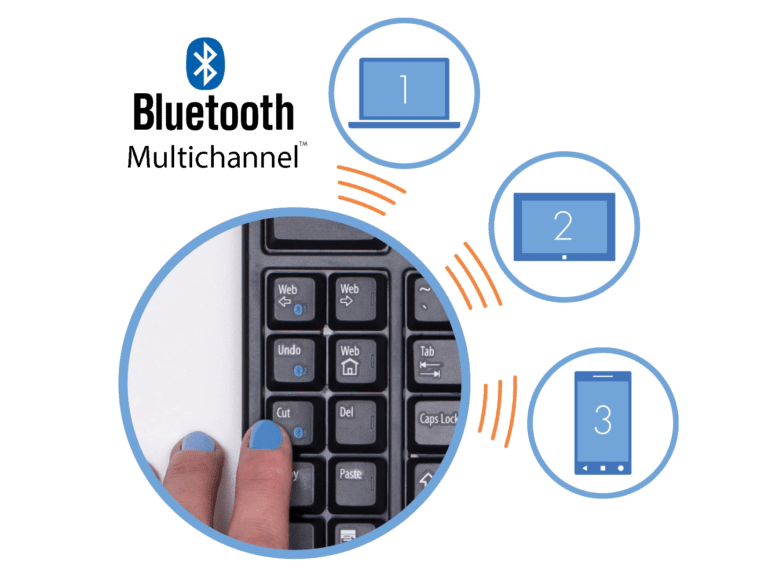
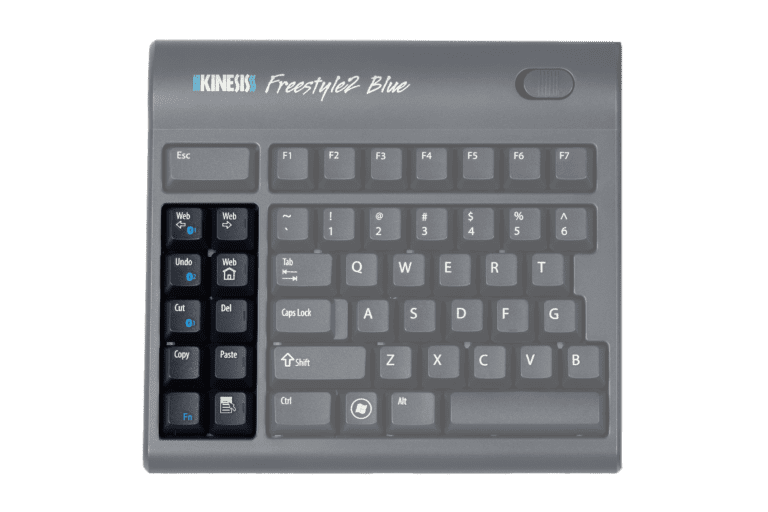
The Freestyle2 Blue for PC is an award-winning split keyboard designed to adjust to your body and typing style by having a variable splay of 20cm. The Kinesis Freestyle2 Blue™ wireless keyboard combines the award winning split-adjustable ergonomic design with the convenience of bluetooth connectivity. No more sacrificing comfort when typing on a PC, Tablet, or Smartphone. Multichannel technology lets users pair up to 3 three Bluetooth-enabled devices with the Freestyle2 Blue and instantly switch between them directly from the keyboard. Driverless hot keys for commonly used mouse actions - Internet Page, Forward and Back, Undo, Web Home, Cut, Copy and Paste. A vertical rib is located on the inside row of hot keys to provide tactile notification to the user.
Sleek, Low Profile Design
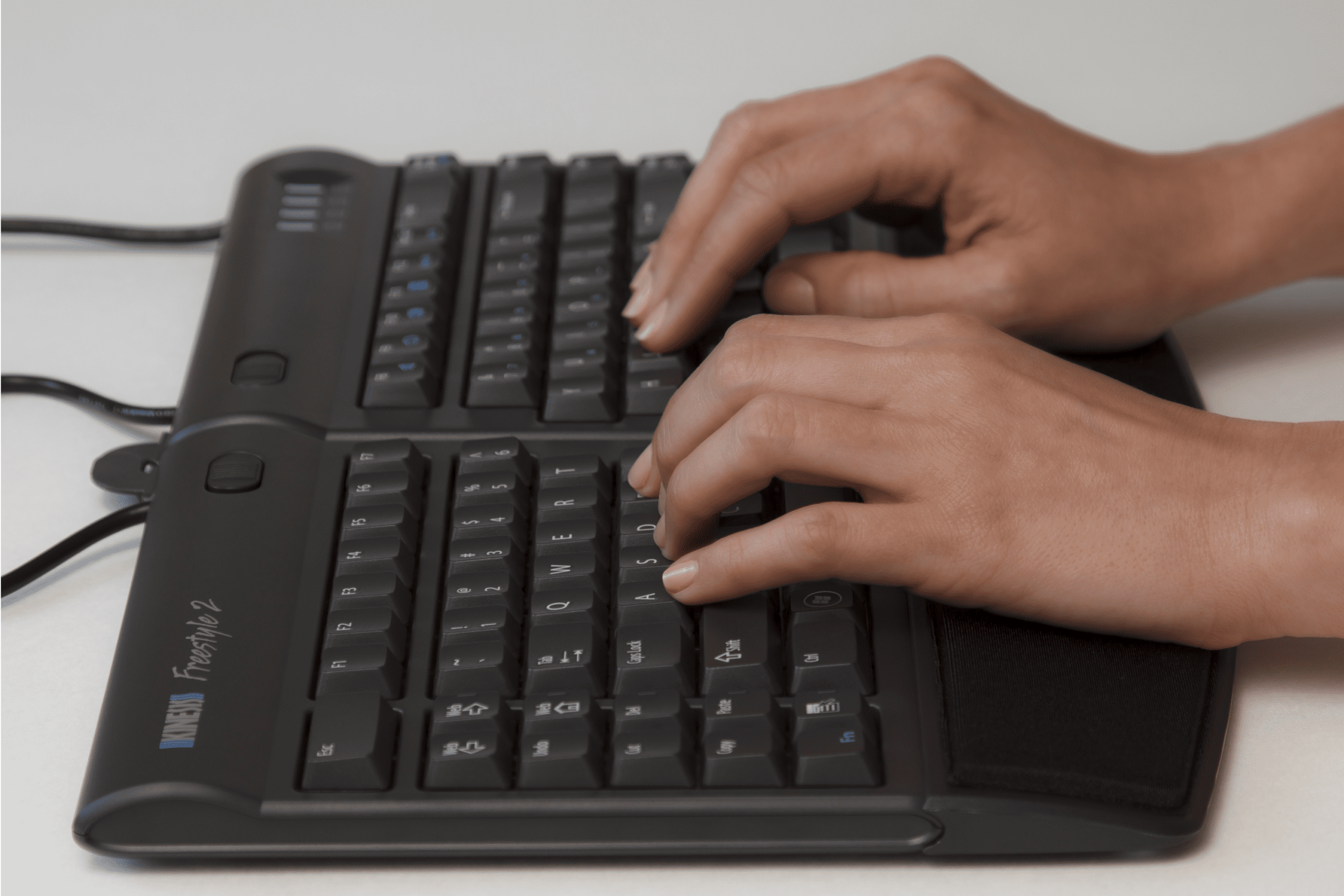
Most keyboards, including ergonomic models, have a 10 degree positive slope from front to back. These designs tend to bend your wrists.
The Freestyle2 has a zero degree slope which minimises the height, effectively creating negative slope and reducing wrist extension.
Accommodates a Wide Range of Individuals
From small to tall and body types in between, the Freestyle2 allows for maximum flexibility catering to each individual's unique needs.
Out of the box, both modules are connected together by a flexible pivot tether allowing an infinite range of splay. Disconnecting the pivot tether allows for complete separation of both left and right keying modules.
Perfect for individual needs ranging from a narrow footprint to complete separation. This design greatly reduces and or/eliminates ulnar deviation.
Low-Force, Tactile Key Switches
The Freestyle2 utilises a quiet, low-force, tactile membrane key switch. The typical average maximum key force of a switch is 45 grams. This is at least 25% less than most traditional and many ergonomic keyboards such as the Microsoft 4000 which has a maximum key force of over 60 grams.
Standard Key Layout
Familiar key layout provides for minimal adaptation time.
Ergonomic Benefits
- Reduces ulnar deviation
- Reduces pronation when used with an accessory kit
- Reduces wrist extension
- Reduces over-reach for any pointing device
- Reduces excessive force with low-force keys
- Reduces excessive repetition with driverless hot keys
Your Comfort
- The only keyboard that adjusts to each individual's unique body type from petite to large frame
- Infinitely variable splay using pivot tether. A flexible pivot tether connects both modules allowing an infinite range of splay and greatly reducing ulnar deviation. The splay and separation features accommodate all body types.
- Offers up to 20cm of complete separation
- Quiet tactile key switches
Your Style
- Sleek, low profile design offers 0° slope from front to back, reducing wrist extension
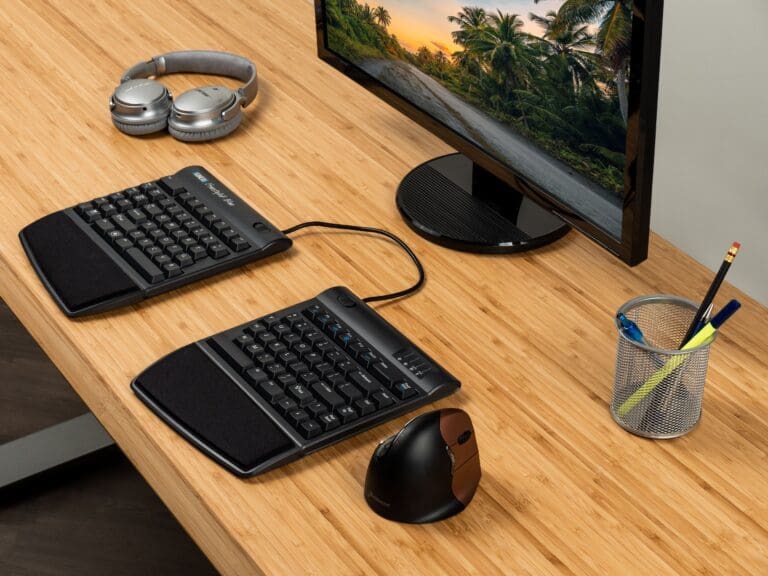
- Narrow footprint allows close placement of any pointing device reducing over-reach. The narrow footprint provides for close placement of any pointing device, reducing over-reach issues.
Your Choice
- Dramatically thinner design, suitable for both office and travel
- Optional, interchangeable accessories satisfy diverse user needs and allow organizations to standardize on a single-source solution
Multiple Configurations in One Modular Product
- Simple, sturdy adjustment mechanisms. Intuitive to configure and use.
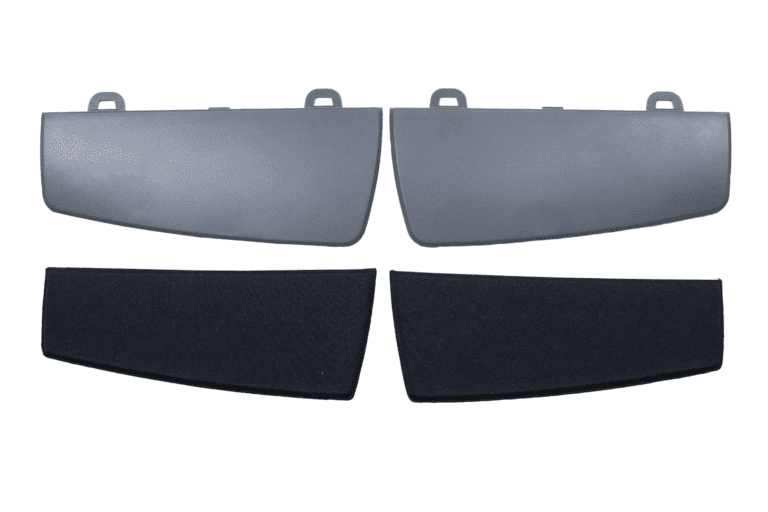
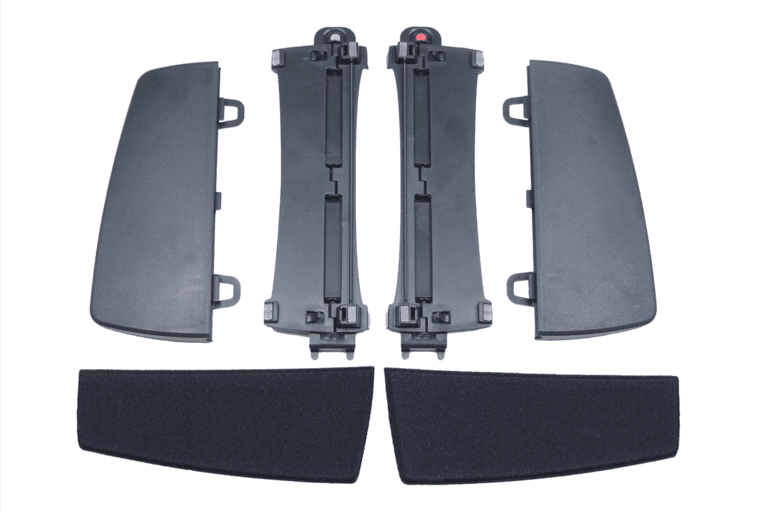
Kinesis Freestyle2 Palm Supports and Pads
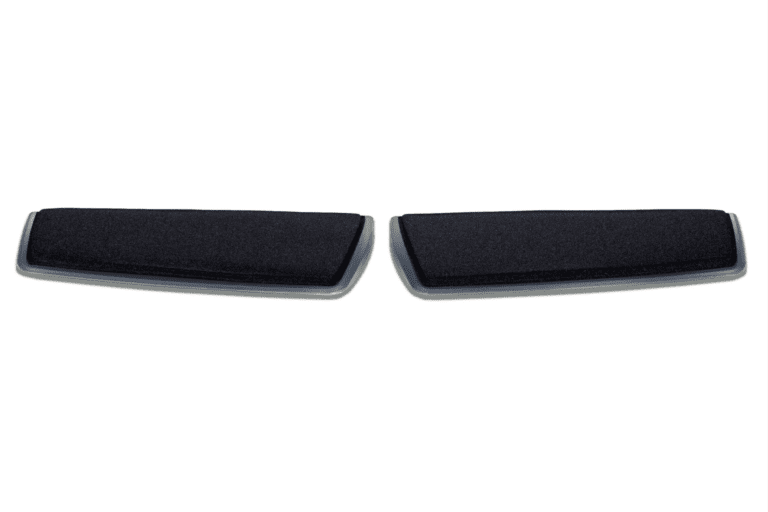
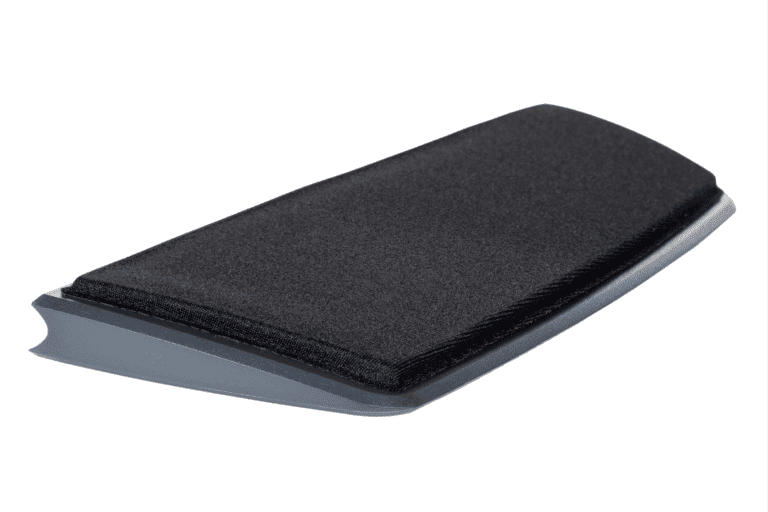
Detachable Palm Supports and Cushioned Adhesive Palm Pads for the Kinesis Freestyle2 Keyboard
Plastic Palm Supports easily attach to the Freestyle2 Keyboard to support wrists and eliminate harmful wrist extension.
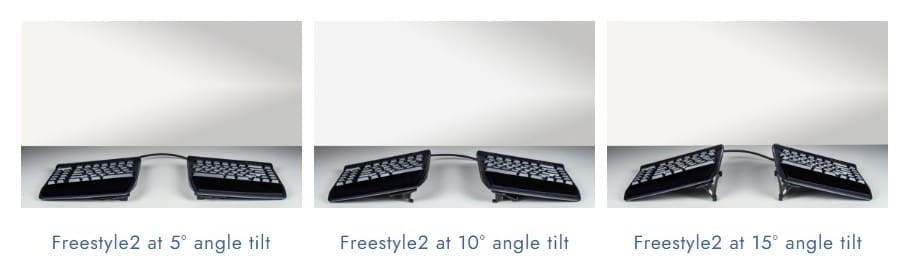
The Palm Supports and Pads are compatible with Kinesis Freestyle2 for PC (20cm or 50cm), Kinesis Freestyle2 for Mac, and Kinesis Freestyle2 Blue keyboards allowing quick and reproducible slope settings of 5, 10, and 15 degrees with the use of the integrated palm supports.
The Cushioned Palm Pads are approximately 64mm thick closed-cell foam. They have a soft, gel-like feel, and are covered with a silky, lycra fabric.
The adhesive backing provides firm adhesion but may be easily removed without leaving any residue when replacements are needed.
Features:
- Compatible with the Kinesis Freestyle2 for PC (20cm or 50cm), Kinesis Freestyle2 for Mac, and Kinesis Freestyle2 Blue Keyboards. Not compatible with the Freestyle Pro Keyboard.
- Soft cushioning support for the palms
- Easily attached and detached from the keyboard
Kinesis Freestyle2 V3 Accessory Kit
Positions forearms and wrists in a more comfortable position by reducing pronation when using a Kinesis Freestyle2 Keyboard
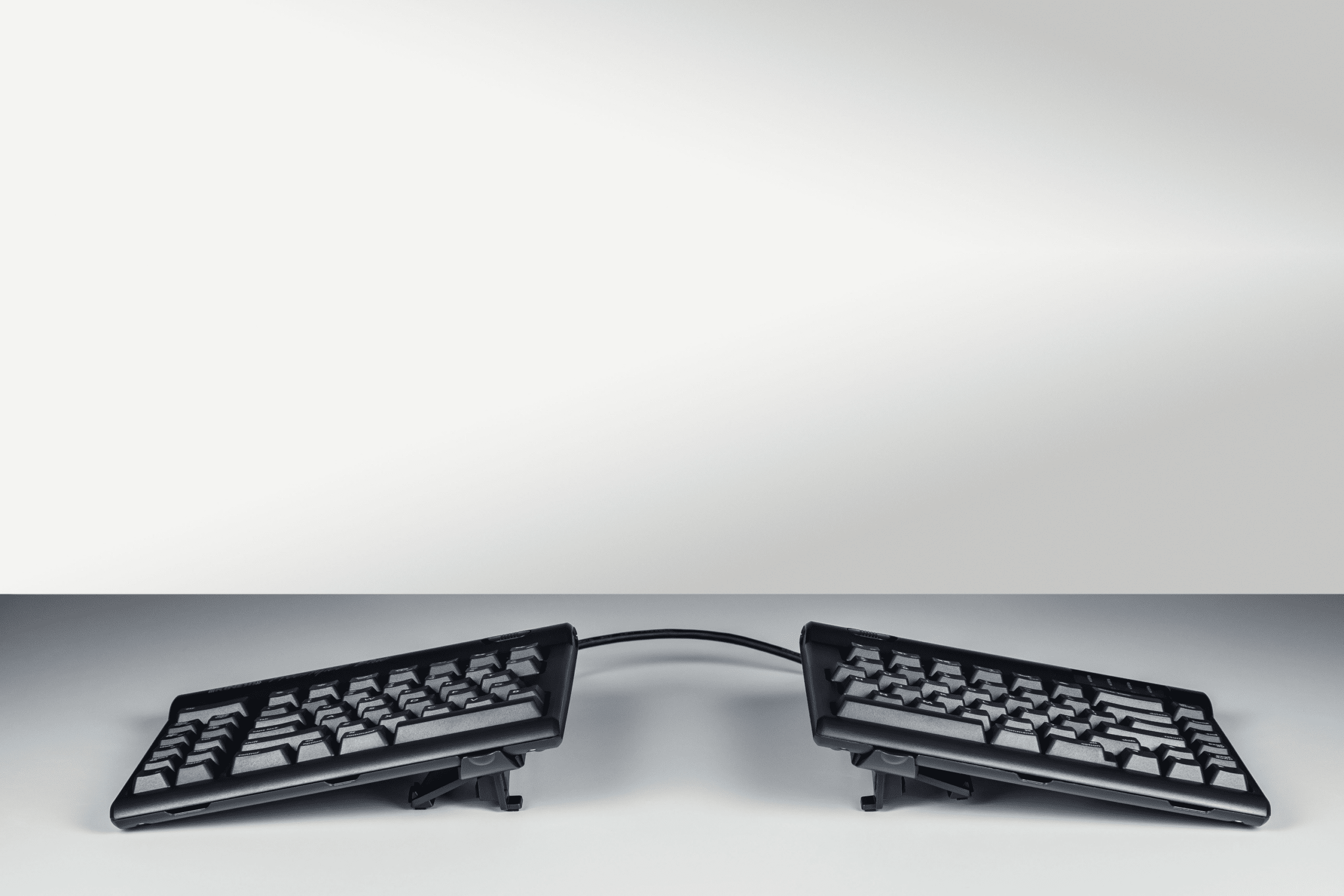
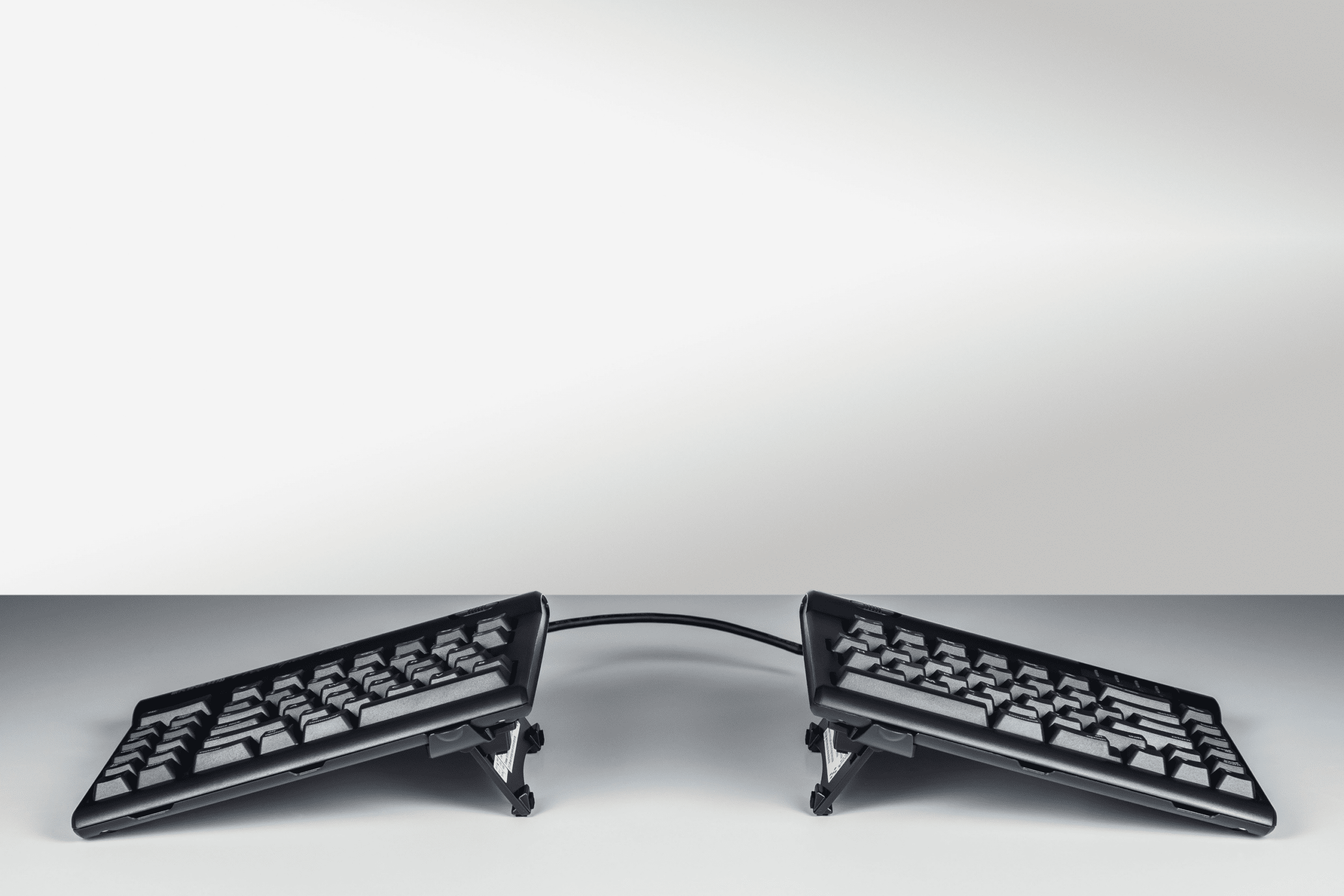
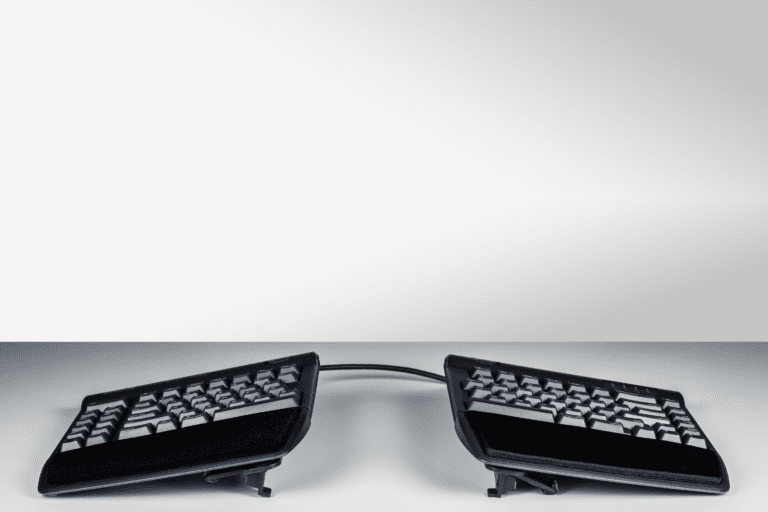
The Kinesis V3 Accessory Kit (Left & Right V Lifters) attaches easily to the base of the Freestyle or Freestyle2 Keyboard allowing quick and reproducible slope settings of 5, 10 and 15 degrees without the use of integrated palm supports.
Kinesis Freestyle2 VIP3 Accessory Kit
Positions forearms, wrists and palms in a more comfortable position by reducing pronation when using a Kinesis Freestyle2 Keyboard
Tenting and Palm Support Accessory for the Kinesis Freestyle2
The VIP3 tenting accessory includes left and right "v-Lifters" and cushioned Palm Supports which easily attach to the base of the Kinesis Freestyle2 for PC (20cm or 50cm), Kinesis Freestyle2 for Mac, and Kinesis Freestyle2 Blue keyboards allowing quick and reproducible slope settings of 5, 10, and 15 degrees with the use of the integrated palm supports.
Features:
- Compatible with the Kinesis Freestyle2 for PC (20cm or 50cm), Kinesis Freestyle2 for Mac, and Kinesis Freestyle2 Blue Keyboards. Not compatible with the Freestyle Pro Keyboard.
- Position your forearms and wrists in a more comfortable position by reducing harmful forearm pronation.
- Quickly adjust between the three tenting heights by snapping and swivelling the legs in the appropriate position.
- Provides a highly stable typing platform with no "bounce".
- Cushioned pads are integrated into the Palm Supports for increased comfort and durability.
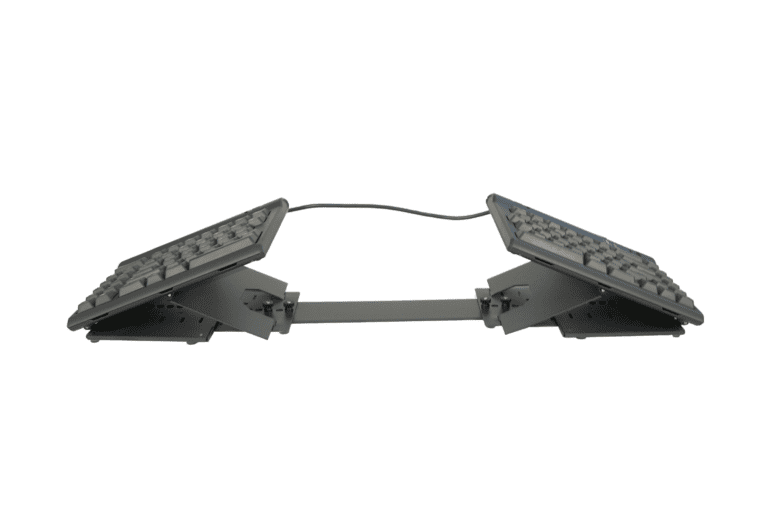
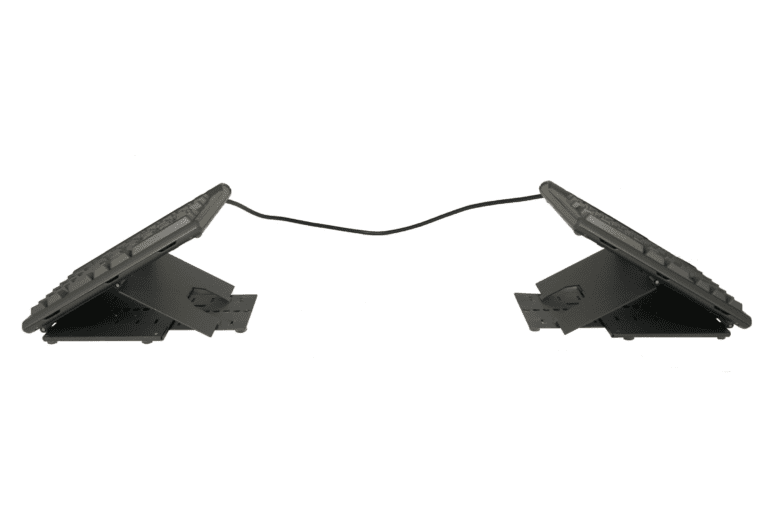
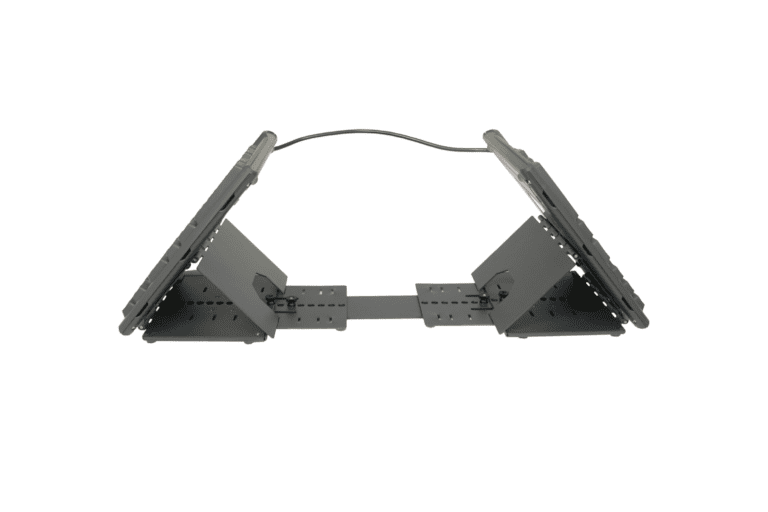
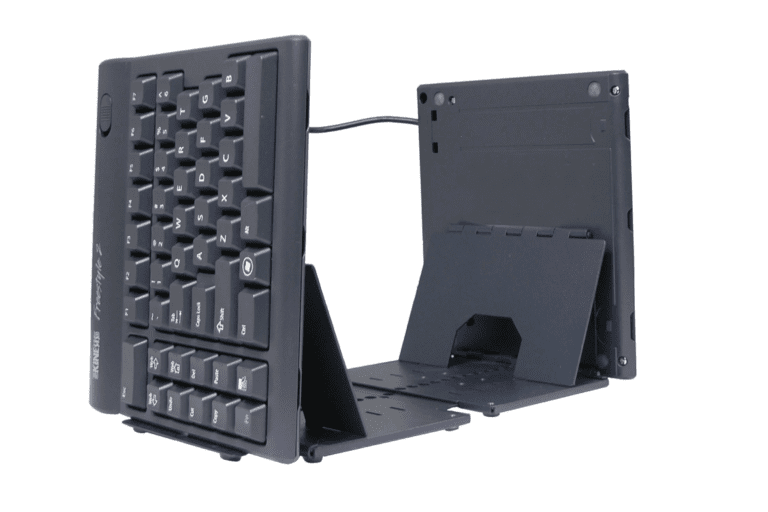
Kinesis Freestyle2 Ascent Multi-Tent
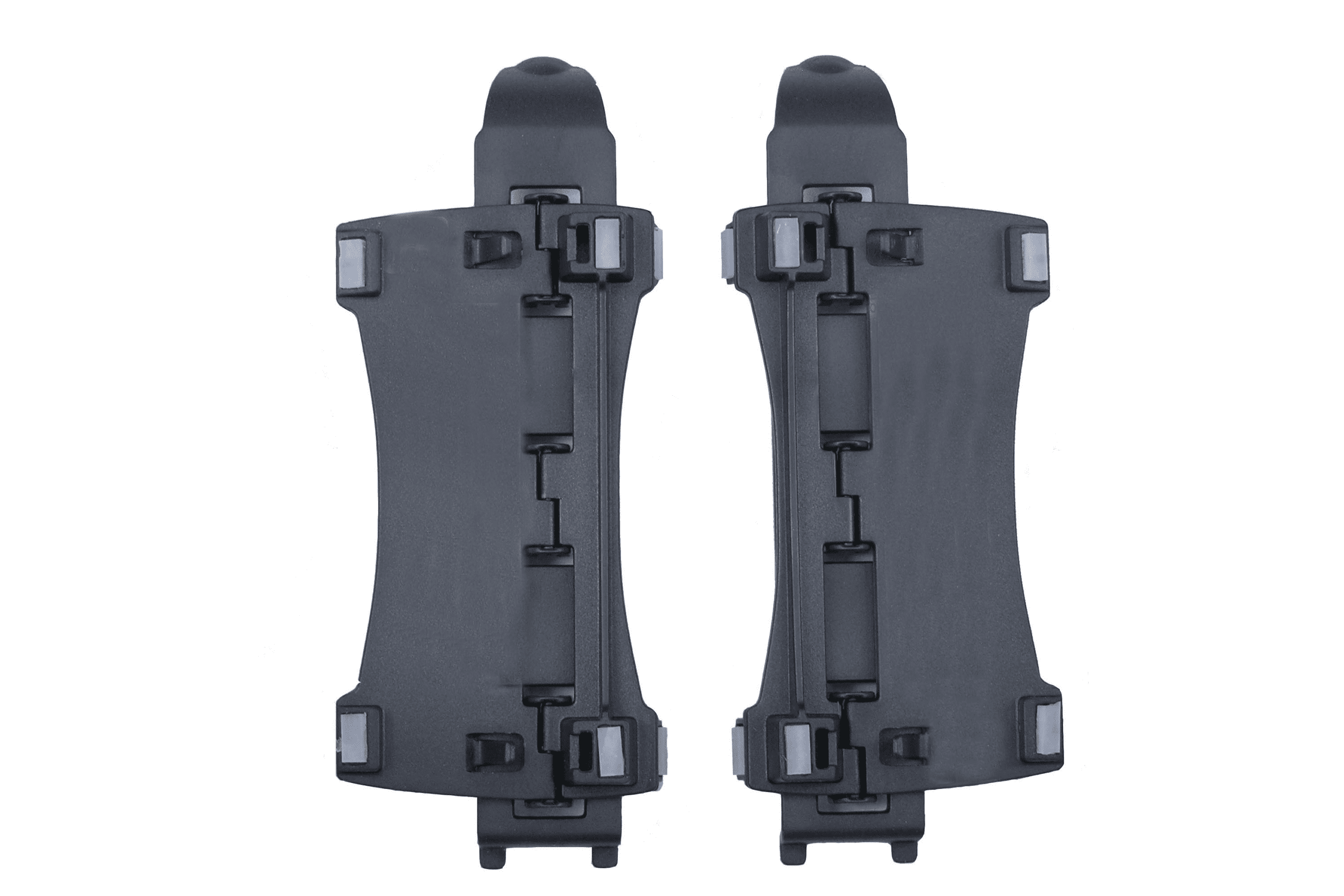
Accessory kit providing two multi-angle tenting modules and a linking plate for the Kinesis Freestyle2 for PC and Mac.
More Than Just a Vertical Keyboard
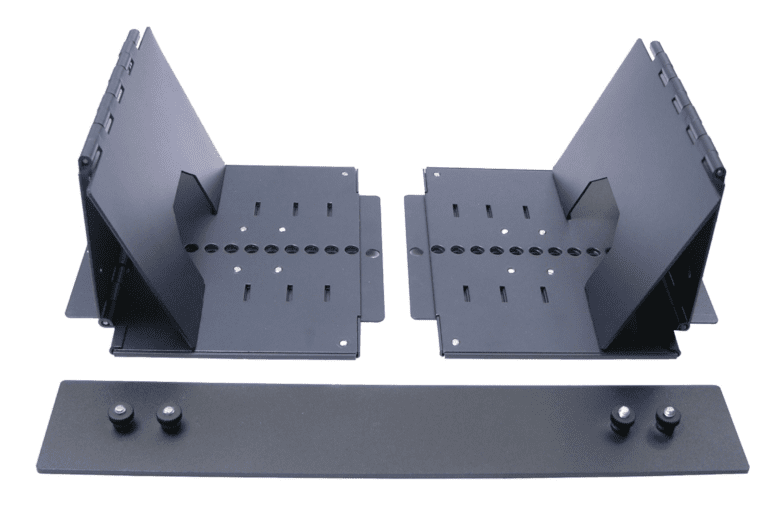
The Freestyle2 Ascent accessory kit provides two multi-angle tenting* modules which attach to the underside of the keying modules, plus a linking plate which may be used to connect the two keying modules if desired.
The Freestyle2 Ascent is compatible with the Kinesis Freestyle2 for PC (20cm or 50cm), and Kinesis Freestyle2 for Mac.
Tenting angles may be independently set for each keying module in the range of 20 to 90 degrees, in 10 degree increments. Left/right separation is limited only by the length of the keyboard's linking cable. The standard 20cm separation is adequate for most users, but the 50cm linking cable is recommended for greater flexibility.
Features:
- Compatible with the Kinesis Freestyle2 for PC (20cm or 50cm), and Kinesis Freestyle2 for Mac. Not compatible with the Freestyle2 Blue or Freestyle Pro Keyboards.
* Tenting is the elevation of the centre portion of the split keyboard. By raising your thumbs, your forearm muscles become relaxed reducting pronation, resulting in significantly improved comfort and blood flow.
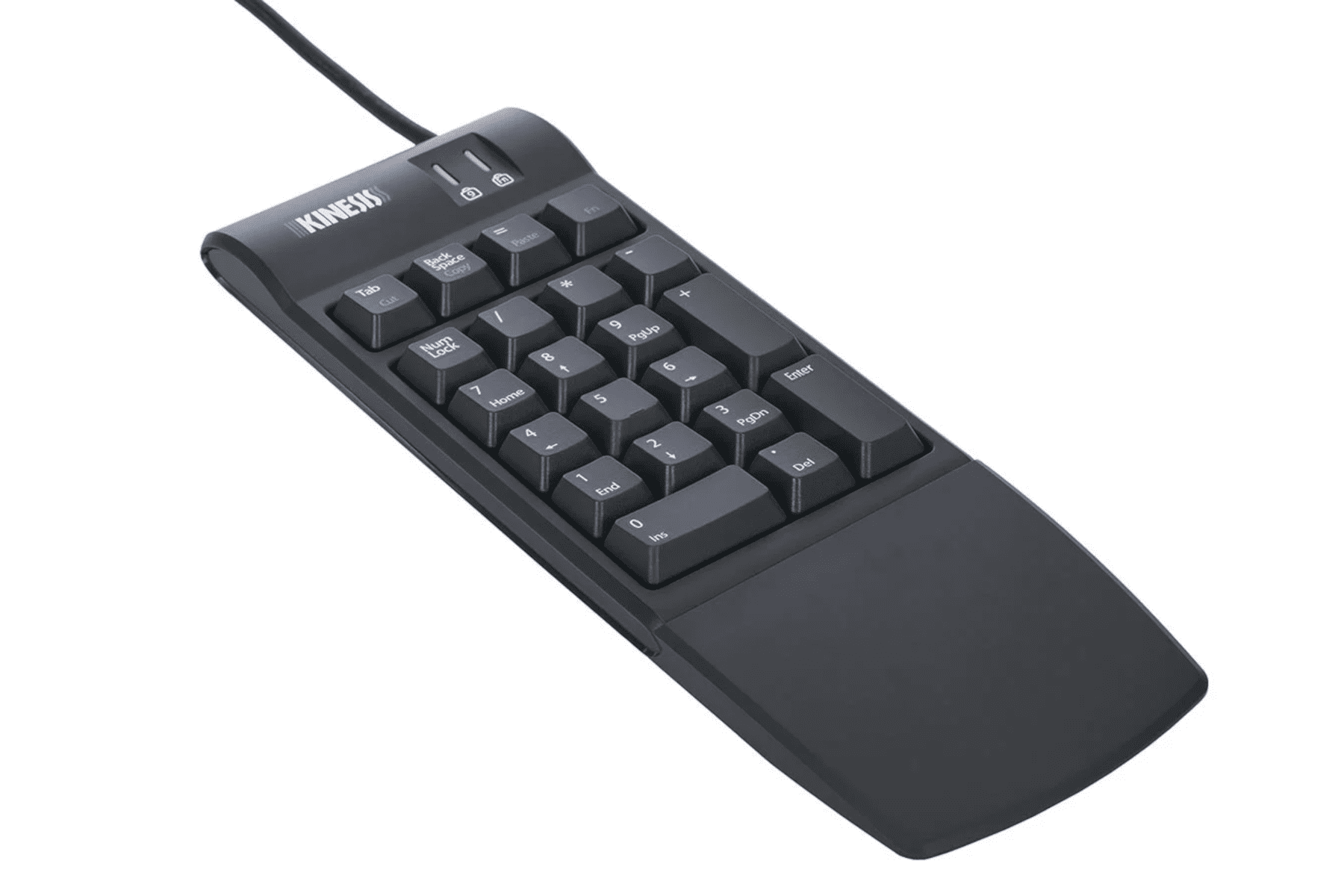
Kinesis Freestyle2 Numeric Keypad for PC & Mac
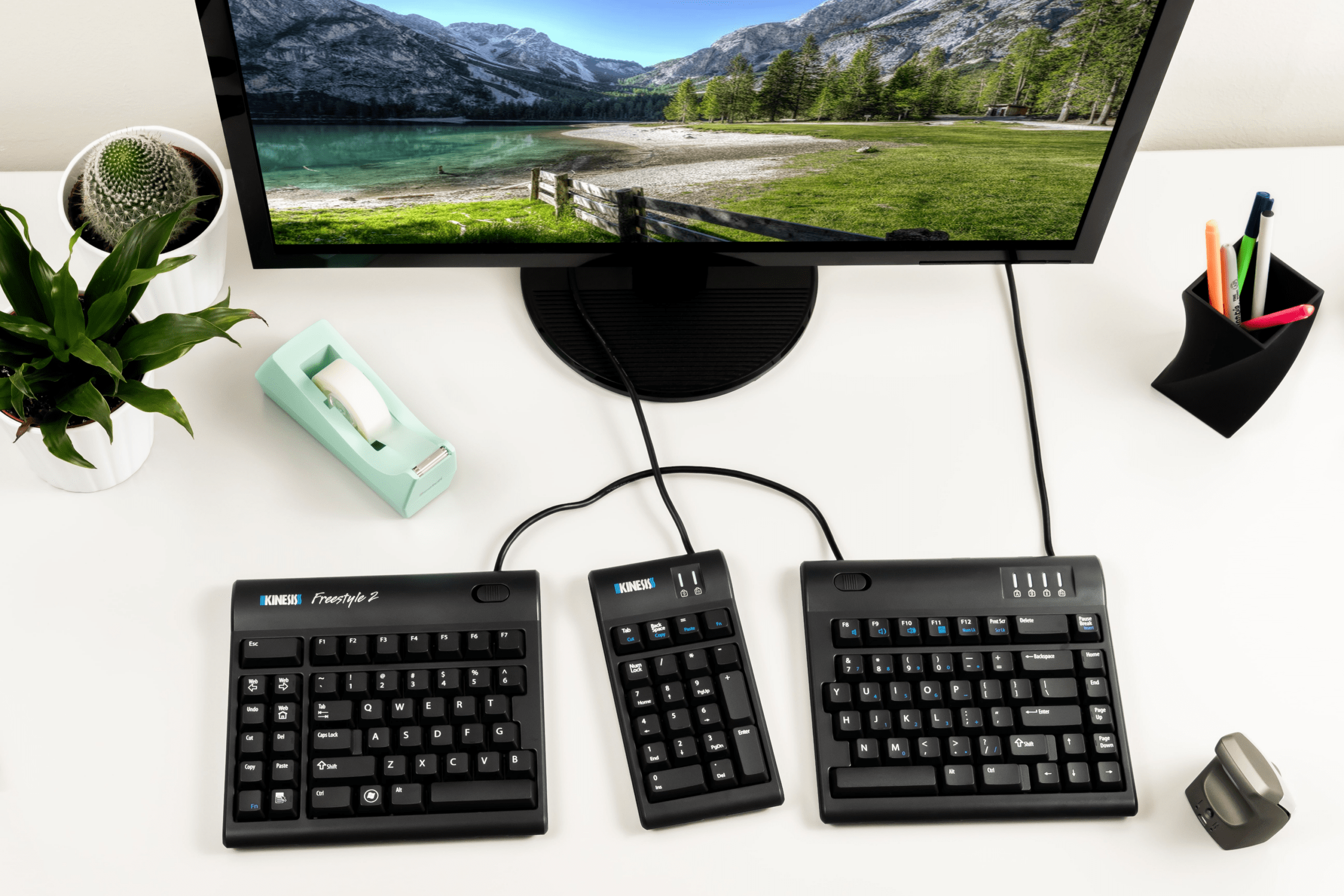
The companion Numeric Keypad for the Kinesis Freestyle2 Keyboard
A Keypad Designed with the Freestyle2 Look and Feel
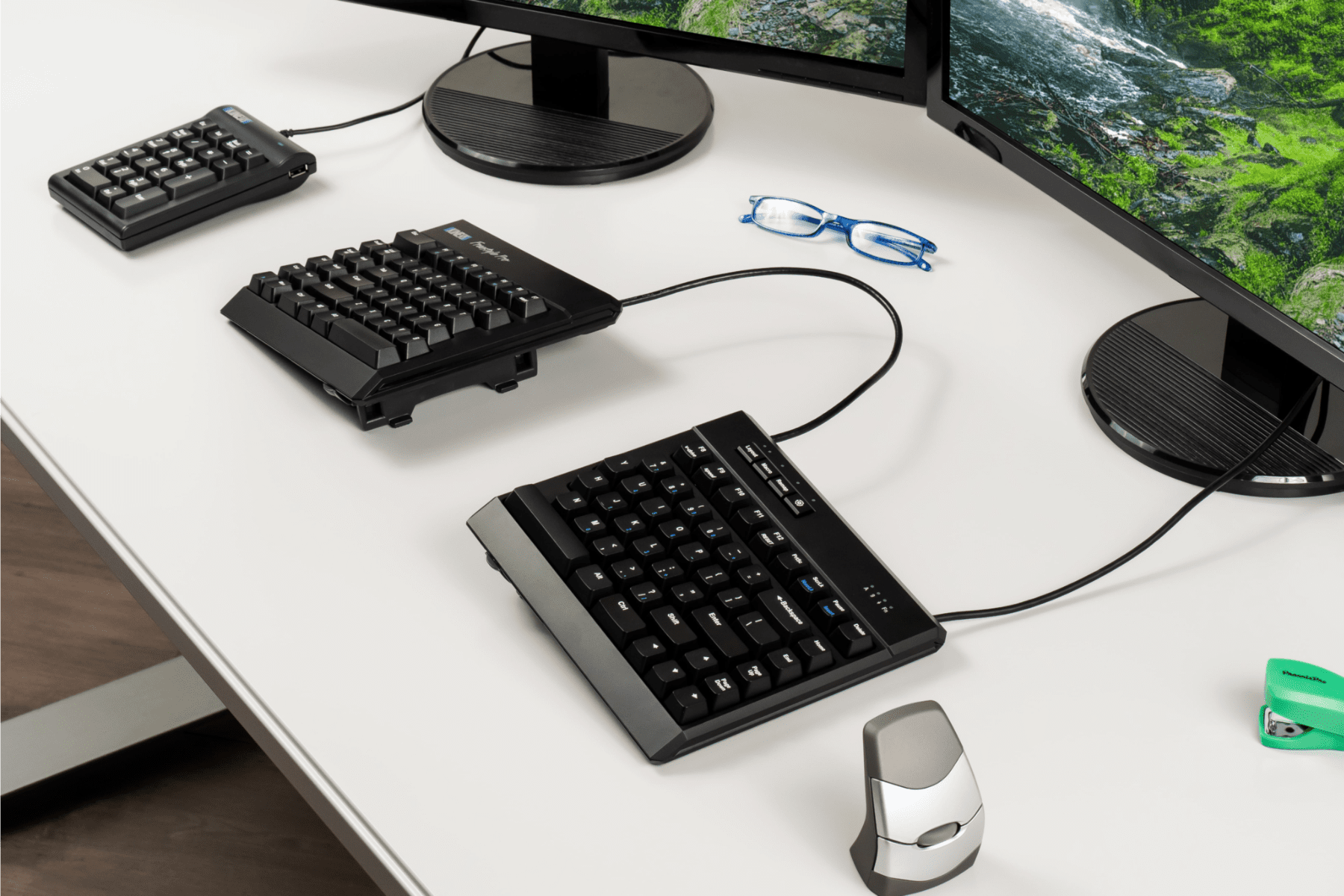
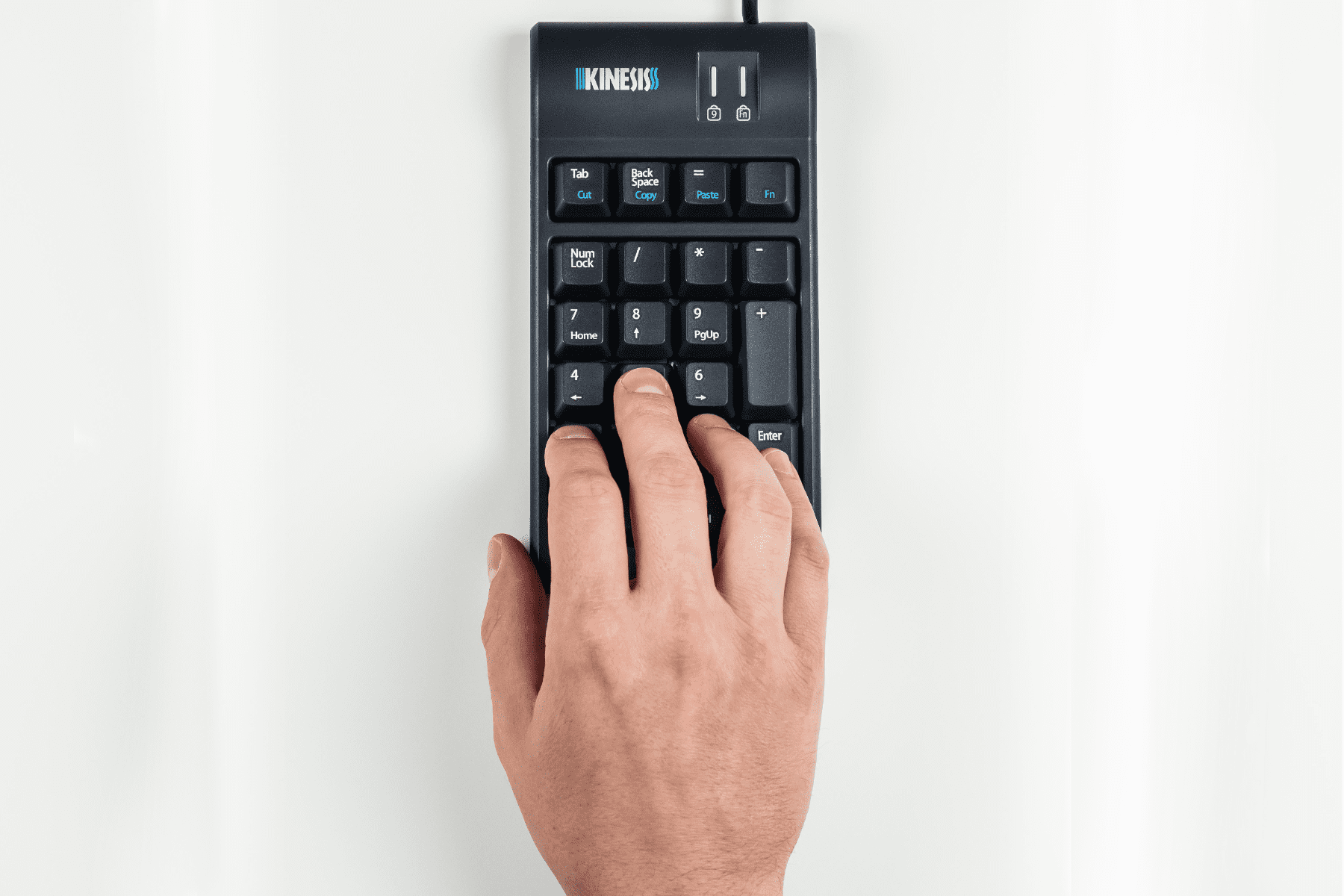
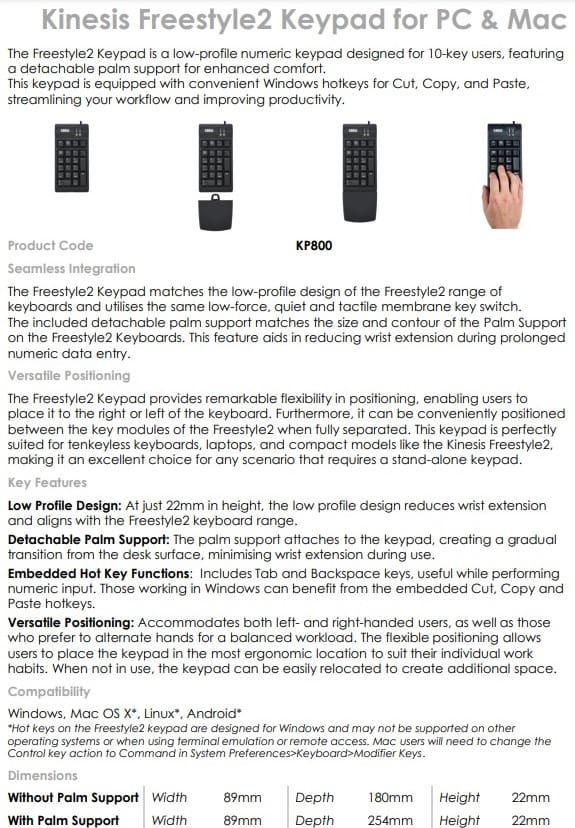
The Kinesis Freestyle2 Numeric Keypad for PC & Mac is a low-profile numeric keypad designed for 10-key users.
The keypad features a detachable palm support for enhanced comfort.
The keypad is equipped with convenient Windows hotkeys for Cut, Copy, and Paste, steamlining your workflow and improving productivity.
Seamless Integration
The Freestyle2 Keypad matches the low-profile design of the Freestyle2 range of keyboards and utilisess the same low-force, quiet and tactile membrane key switch.
The included detachable palm support matches the size and contour of the Palm Support on the Freestyle2 Keyboards. This feature aids in reducing wrist extension during prolonged numeric data entry.
Versatile Positioning
The Freestyle2 Keypad provides remarkable flexibility in positioning, enabling users to place it to the right or left of the keyboard. Furthermore, it can be conveniently positioned between the key modules of the Freestyle2 when fully separated.
This keypad is perfectly suited for tenkeyless keyobards, laptops, and compact models like the Kinesis Freestyle2, making it an excellent choice for any scenario that requires a stand-alone keypad.
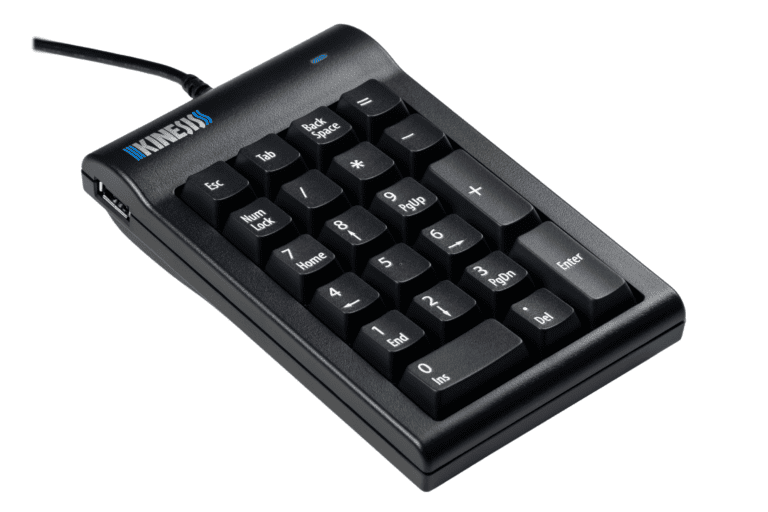
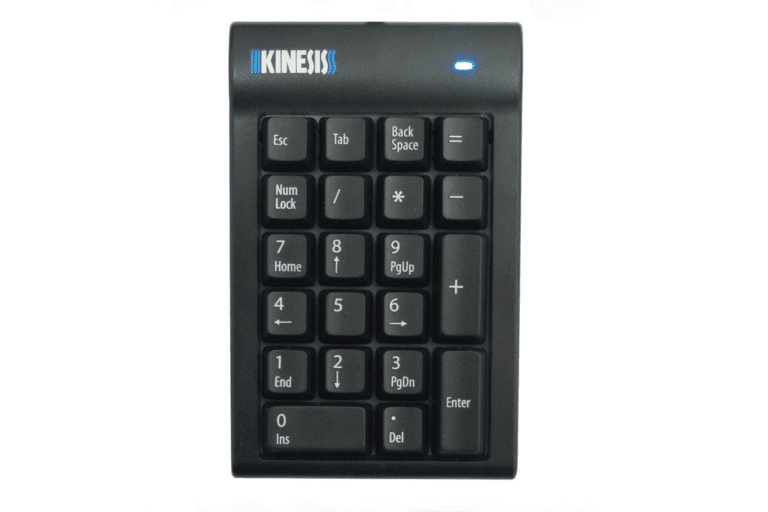
Kinesis Mechanical Keypad for PC
Heavy-duty with Cherry MX Brown mechanical key switches.
The Kinesis Mechanical Keypad is ideal for heavy 10-key users, and the perfect companion for "tenkeyless" keyboards such as the Kinesis Freestyle2, Advantage2, Kinesis Form Split Touchpad Keyboard, or laptop users.
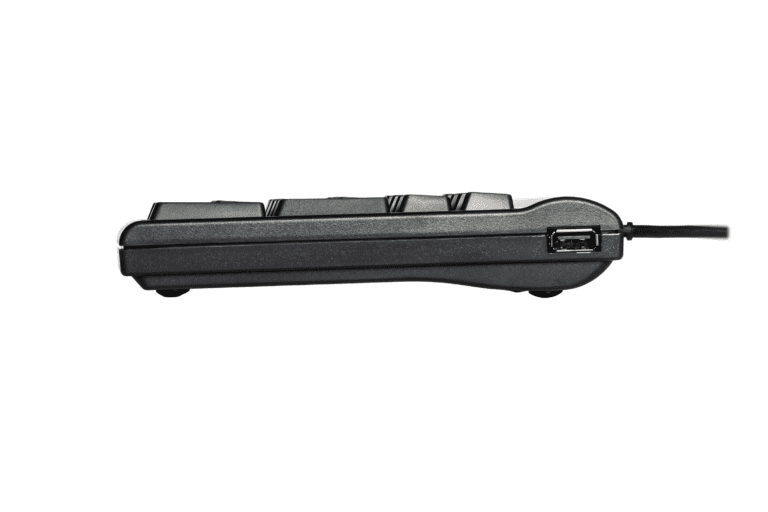
The 2-port USB hub enables you to easily connect other low-power input devices such as mice and flash drives without having to access USB ports on the back of the computer.
Cherry MX Mechanical Switches
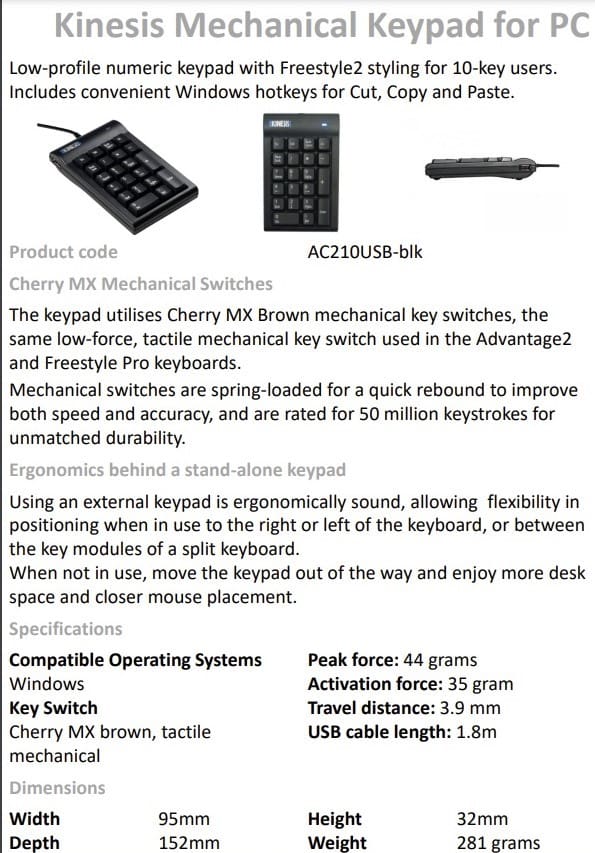
The keypad utilises Cherry MX Brown mechanical key switches, the same low-force, tactile mechanical key switch used in the popular Advantage2 keyboards.
Mechanical switches are spring-loaded for a quick rebound to improve both speed and accuracy, and are rated for 50 million keystrokes for unmatched durability.
Ergonomics Behind a Stand-Alone Keypad
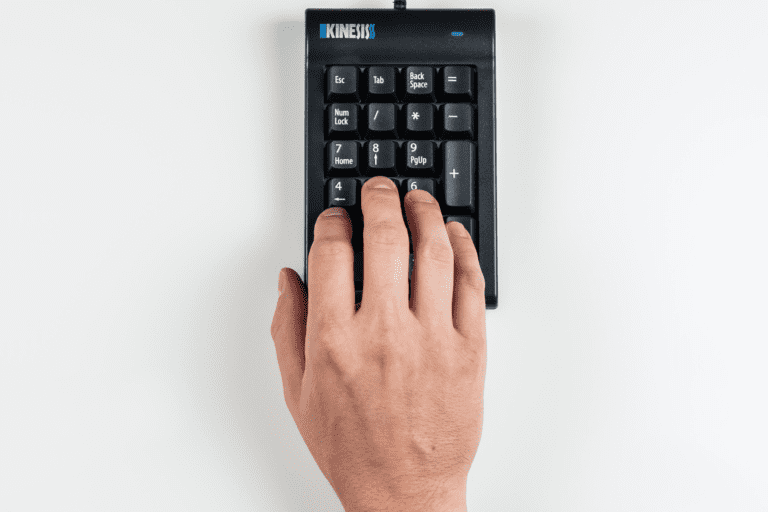
Using an external keypad is ergonomically sound because it gives the users flexibility in positioning the keypad when in use to the right or left of the keyboard, or between the key modules of a split keyboard. When not in use, users can move the keypad out of the way and enjoy more desk space and closer mouse placement.
Alternative Spellings: freestyle 2, kenesis freestyle 2, free style 2, free style two, kinisis, kinises, kineesis, sloped keyboard, angled keyboard, split keyboard, keenisis, keeneesis, freestyle to, freestyleto, freestyle too, freestyletoo, freestyle two, freestyletwo, separated keyboard, separate keyboard, split keyboard, 2 part keyboard, tendonitis, tendinitis, tfcc tear, tfc tear, handshake keyboard, wrist injury, wrist injuredm AC210USB-blk, Kinesis Mechanical Keypad for PC, AC800HPB-us, Numeric Keypad for PC & Mac, vip, vip 3, AC820-blk, AC740, AC806PS-blk, KP800, KB800PB-BT
Kinesis Freestyle2 for PC – 20cm Separation
Separation: Up to 20cm Separation between the two Keyboard sides with infinite splay of modules while connected to tether
Dimensions:
- Width:
- Minimum: 390mm (when two sides are side by side)
- Maximum: 597mm
- Distance between F and J Keys:
- Minimum: 89mm
- Maximum: 292mm
- Depth: 180mm
- Height: 22mm
Weight: 907 grams
USB Charging Cable: 1.8m
Compatible Operating Systems:
- Windows
- Linux
Layout: US
Colour: Black
————————————————————————————————————————-
Kinesis Freestyle2 for PC – 50cm Separation
Separation: Up to 50cm Separation between the two Keyboard sides with infinite splay of modules while connected to tether
Dimensions:
- Width:
- Minimum: 390mm (when two sides are side by side)
- Maximum: 959mm
- Distance between F and J Keys:
- Minimum: 89mm
- Maximum: 654mm
- Depth: 180mm
- Height: 22mm
Weight: 907 grams
USB Charging Cable: 1.8m
Compatible Operating Systems:
- Windows
- Linux
Layout: US
Colour: Black
————————————————————————————————————————-
Kinesis Freestyle2 for Mac – 20cm Separation
Separation: Up to 20cm Separation between the two Keyboard sides with infinite splay of modules while connected to tether
Connectivity: USB Plug & Play
Compatibility: Mac
Dimensions of Keyboard:
- Length: 390mm
- Depth: 184mm
- Height: 22mm
- Weight: 885g
Low Profile Design: 0° slope from front to back
Keys: Tactile and Low Force
Hot Keys: 10 Hot Keys (Driverless Hot Keys are provided for commonly used mouse actions: Internet, Forward, Back, Undo, Web Home, Cut, Copy and Paste)
Double-wide Delete and Escape Keys: providing an easier target for fingers to locate
Splay: Both modules can be connected together by attaching the included flexible Pivot Tether allowing an infinite range of splay
Compact Design: eliminates the traditional numeric keypad on the right-side of the keyboard. In its place is an embedded numeric keypad on the right half of the keyboard.
Layout: US
Colour: Black
————————————————————————————————————————-
Kinesis Freestyle2 Blue for PC – 20cm Separation
Separation: Up to 20cm Separation between the two Keyboard sides with infinite splay of modeules while connected to tether
Bluetooth Connection Required: dongle is not included
Compatibility: Windows
Bluetooth, Battery & Multichannel™:
- Bluetooth 3.0
- Range: 9m
- Battery: Rechargeable lithium polymer
- Battery Life: Single battery charge should exceed 300 hours of actual typing, or at least 6 months of use at 2 hours of typing per day
- Multichannel: Switch instantly between 3 Bluetooth-enabled devices
Key Switch:
- Peak force: 45g
- Activation force: 35g
- Travel distance: 3.9mm
- Switch type: Rubber dome, membrane
Dimensions of Keyboard:
- Width:
- Max separation measured between inside edge of each module: 20cm
- Measured between outside edge of each module. Min: 39cm; Max: 59cm
- Depth: 18cm
- Height: 2.22cm
- Weight: 907g
- USB charging cable: 1.8m
Features:
- 20cm separation of modules
- Infinite splay of modules while connected to tether
- Bluetooth connectivity for easy connection and transport
- Driverless hot keys
- Low-force, quiet, tactile membrane key switches
- Familiar key layouts provides for minimal adaptation time
- Compatible with Freestyle2 accessories
————————————————————————————————————————-
Kinesis Freestyle2 Palm Supports and Pads
Palm Supports and Pads Components:
- Left and Right Palm Supports
- Left and Right Palm Pads
Compatibility:
- Not compatible with the Freestyle Pro Keyboard
- Freestyle2 keyboard sold separately
The Cushioned Palm Pads are approximately 64mm thick closed-cell foam. They have a soft, gel-like feel, and are covered with a silky, lycra fabric.
Dimensions: Cushioned Palm Pads are approximately 64mm thick
Material:
- Closed-cell foam
- Soft, gel-like feel
- Covered with a silky, lycra fabric
————————————————————————————————————————-
Kinesis Freestyle2 V3 Accessory Kit
Includes a Pair of 3-Angle V-Lifters: clip onto the Freestyle2 Keyboard
Three Levels of Tenting: 5, 10 or 15
Each Keying Module can be adjusted independently: V-Lifters are equally effective whether the Keying Modules are splayed (using the pivot tether which came with the keyboard) or completely separated
The V3 V-Lifter quickly and easily alternates the slope of the keyboard: positions forearms and wrists in a more comfortable position by reducing pronation
Unlike the VIP3, the V3 does not require the installation of palm supports prior to use
Use with or without the Pivot/Tether: the pivot tether connects the two keying modules of the Solo keyboard together. Disconnect the pivot tether if greater separation is required.
Provides a highly stable typing platform with no “bounce”
————————————————————————————————————————-
Kinesis Freestyle2 VIP3 Accessory Kit
VIP3 Components:
- Left and Right v-Lifters
- Left and Right Premium Palm Supports
- Left and Right Cushioned Palm Pads
Compatibility:
- Palm Supports required for use
- Not compatible with the Freestyle Pro Keyboard
- Freestyle2 keyboard sold separately
Dimensions:
- Attached to Freestyle2 keyboard:
- Max height at 15 degree slope: 70mm
- Max height at 10 degree slope: 51mm
- Max height at 5 degree slope: 38mm
- Depth (front-to-back): 257mm
Weight: 322g
————————————————————————————————————————-
Kinesis Freestyle2 Ascent Multi-Tent
Components:
- 2 multi-angle tenting modules
- linking plate
Compatibility:
- Not compatible with Freestyle2 Blue due to the metal base in close proximity to the wireless transmitter
- Not compatible with the Freestyle Pro Keyboard
- Freestyle2 keyboard sold separately
Tenting Angles:
- Independently set for each keying module in the range of 20 – 90 degrees in 10 degree increments
- The standard 20cm separation is adequate for most users, but the 50cm linking cable in recommended for greater flexibility
————————————————————————————————————————-
Kinesis Freestyle2 Numeric Keypad for PC & Mac
Dimensions (Without Palm Supports):
- Height: 22mm
- Width: 89mm
- Depth: 180mm
Dimensions (With Palm Supports):
- Height: 22mm
- Width: 89mm
- Depth: 254mm
Cord Length: 1.8m
Weight: 227g
Detachable Palm Support: The Palm Support attaches to the keypad, creating a gradual transition from the desk surface, minimising wrist extension during use.
Low Profile Design: At just 22mm in height, the low profile design reduces wrist extension and aligns with the Freestyle2 keyboard range.
Embedded Hot Key Functions: Includes Tab and Backspace keys, useful while performing numeric input. Those working in Windows can benefit from the embedded Cut, Copy and Paste hotkeys.
Versatile Positioning: Accommodates both left- and right-handed users, as well as those who prefer to alternate hands for a balanced workload. The flexible positioning allows users to place the keypad in the most ergonomic location to suit their individual work habits. When not in use, the keypad can be easily relocated to create additional space.
System Compatibility:
- Windows
- Mac OS X*
- Linus*
- Android*
*Hotkeys on the Freestyle2 keypad are designed for Windows and may not be supported on other operating systems or when using terminal emulation or remote access. Mac users will need to change the Control key action to Command in System Preferences > Keyboard > Modifier keys.
Key Switch:
- Switch Type: Rubber dome, membrane
- Peak force: 44 grams
- Activation force: 35 grams
- Travel distance: 3.9mm
Colour: Black
————————————————————————————————————————-
Kinesis Mechanical Keypad for PC
Dimensions:
- Height: 32mm
- Width: 95mm
- Depth: 152mm
Connectivity: Wired
Cable Length: 1.8m
Key Switch:
- Cherry MX Brown, Tactile Mechanical
- Peak Force: 55 grams
- Activation Force: 45 grams
- Travel Distance: 4.1mm
System Compatibility: Windows
Weight: 281gr
Colour: Black
Purchase includes: 1 x Kinesis Freestyle2 Keyboard with/without accessories as selected with all components for immediate use
Watch: Youtube Video introducing the Kinesis Freestyle2
Watch: Youtube Video showing the intallation of the V3 Tenting
If you require any support with this product, Chat, email [email protected] or phone us on 0403 693 780.
Delivery Time: 3-10 Weekdays from Order Confirmation.
Please note, longer delivery time frames can sometimes occur.
Need it urgently or want to know when you will receive your order? Check with us before placing your order. Chat, email [email protected] or phone us on 0403 693 780.
Troubleshooting:
Issue 1: Removing Debris from the Keys
The keyboard can be cleaned with compressed air (Office Works, Bunnings, Harvey Norman) or a soft brush.
Before cleaning the keyboard, switch the keyboard off.
If using compressed air:
- tilt the keyboard slightly to one side. This helps any dust and debris to fall out as you clean.
- Hold the canister upright and use short bursts of air to blow out dust and debris from between the key
- Keep the nozzle a few centimetres away from the keyboard to avoid moisture buildup
A soft brush can be used to gently dislodge debris.
The keycaps can be removed from the kinesis Freestyle Keyboard:
- Keycaps can be removed using a keycap puller. Alternatively, if a kepcap puller is not available, you can use two paper clips. Bend the paper clips into a hook or “J” shape, and gently insert them under the keycap. Then, pull the keycap straight up to remove it.
- Once the keycaps re removed, they can be cleaned and the area underneath can be cleaned with compressed air or with a soft brush.
- To reattach the keycaps, align the keycap and press it into place.
If you are having any issues with this product, Chat, email [email protected] or phone us on 0403 693 780 with the following information:
1. Serial Number of the product
2. The results of the troubleshooting
3. What the issue is
4. What troubleshooting was done
5. The results of the troubleshooting
6. Invoice number
Warranty: 2 Years
What do I do if the product is faulty?
1. Cease using the product as it may be unsafe to use. Damage that occurs as a result of continued use of a faulty product will not be covered under warranty.
2. Complete and return the Product Repair Request form
You may also like…
-
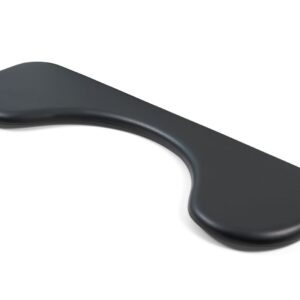
Contour Universal ArmSupport
$269.50 SKU: UNIVERSAL-AS -
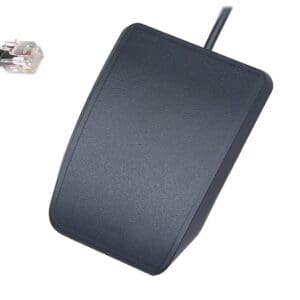
Kinesis Advantage Single Pedal
$115.50 SKU: FS007J11 -
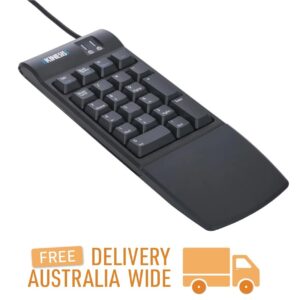
Kinesis Freestyle2 Numeric Keypad for PC & Mac
$169.40 SKU: KP800 -
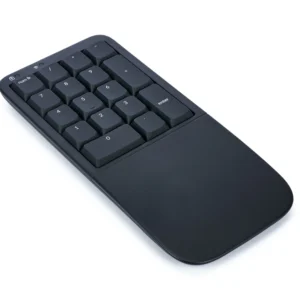
Kinesis Mechanical Keypad LP for Mac & PC
$221.10 SKU: KP150-LIN -
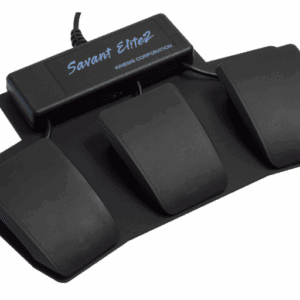
Kinesis Savant Elite2 Triple Action Foot Pedal
$587.40 SKU: FP30A -
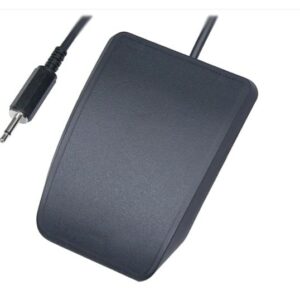
Kinesis Single Pedal for Savant Elite2 Triple Action Pedal
$139.70 SKU: FS007MP -
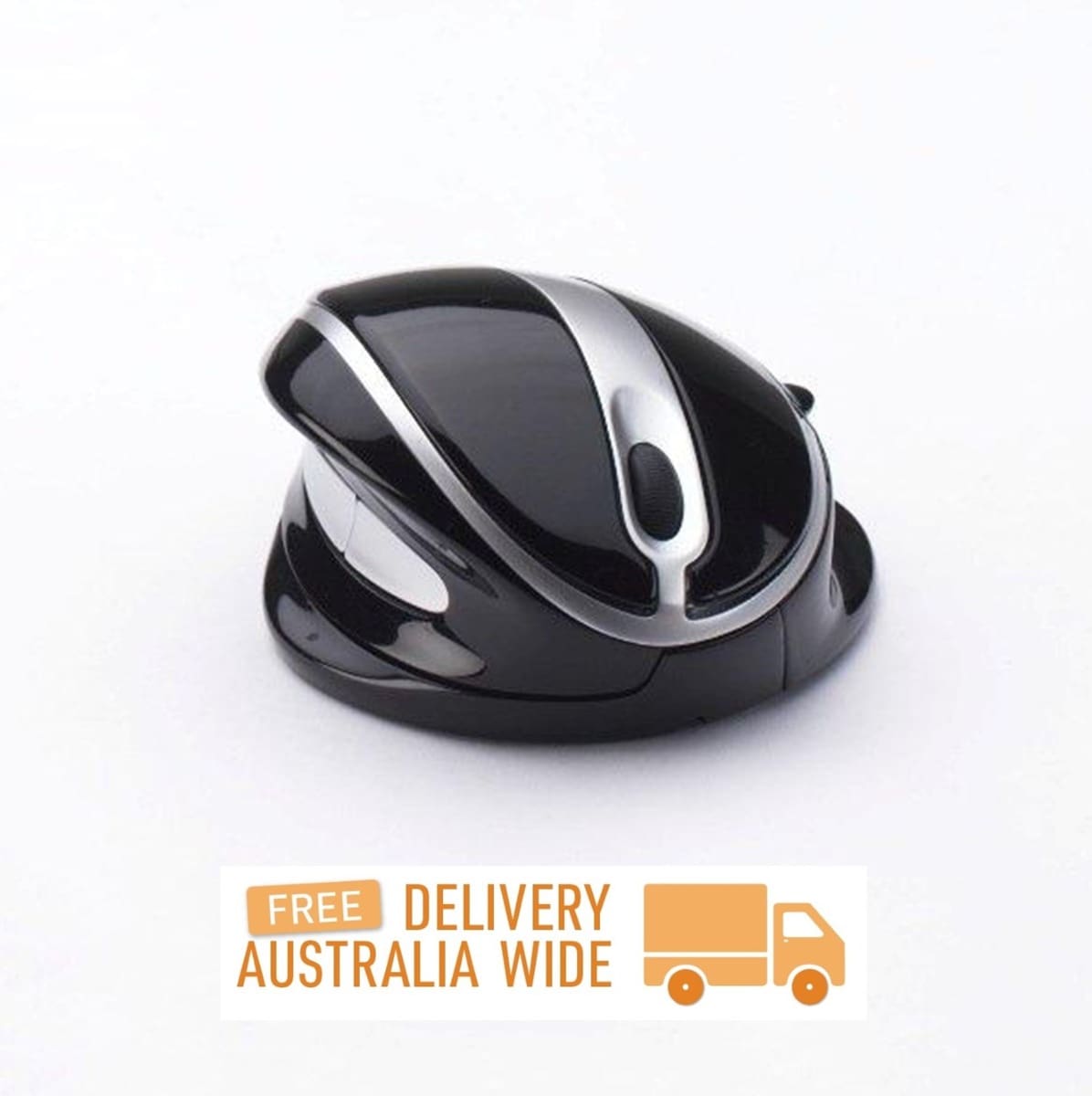
OysterMouse
Price range: $64.90 through $339.90 SKU: OysterMouse
Reviews
There are no reviews yet.